
Mastering Agency Company Settings in GoHighLevel for Branding & Control
👉 Resell GoHighLevel as your own SaaS.
Start SaaS Pro Trial →To configure your Agency Company Settings in GoHighLevel, go to your Agency Dashboard → Settings (gear icon) → Company tab. This process typically takes 5-10 minutes for initial setup.
- ✓Centralize your agency's branding and platform settings for consistency.
- ✓Whitelabel your login portal and system links with custom domains and logos.
- ✓Enhance security with session timeouts and API access controls to protect data.
- ✓Customize client onboarding and feature availability across all sub-accounts.
- ✓Use custom CSS/JS for advanced UI and functionality adjustments within supported areas.
What are Agency Company Settings and How to Access Them?
Agency Company Settings is your central control panel for managing your agency's identity, branding, and global platform settings across all sub-accounts. Here, you customize your logo and login domain. You also enable powerful tools like Workflow AI or template libraries. These settings ensure a professional, consistent, and flexible experience for all accounts under your agency. They define your agency's presence and operational defaults within GoHighLevel.
Familiarize yourself with all three tabs within Company Settings. Each tab controls a distinct aspect of your agency's GoHighLevel environment, from basic information to advanced security and branding.
Configuring Basic Company Details
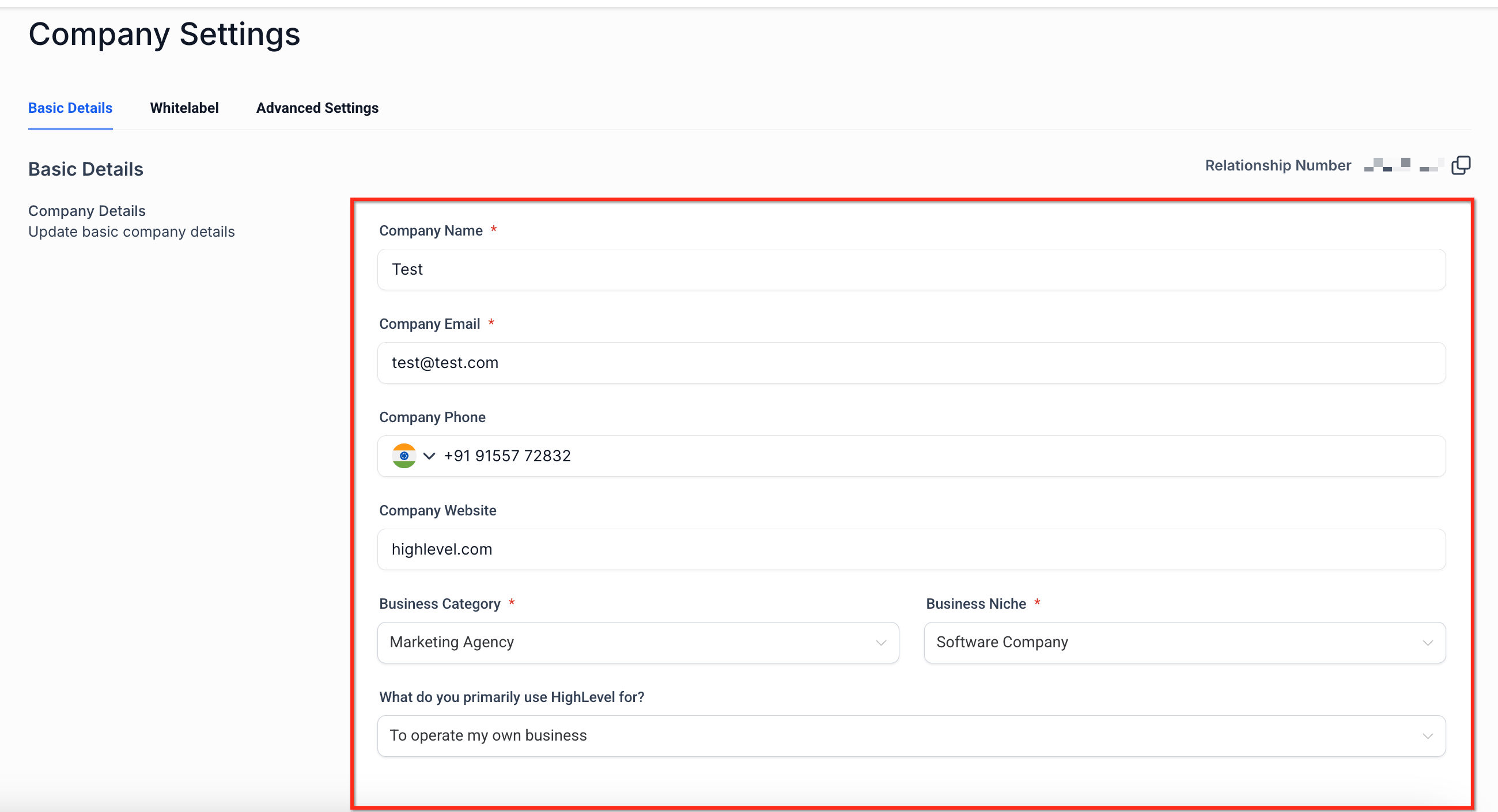
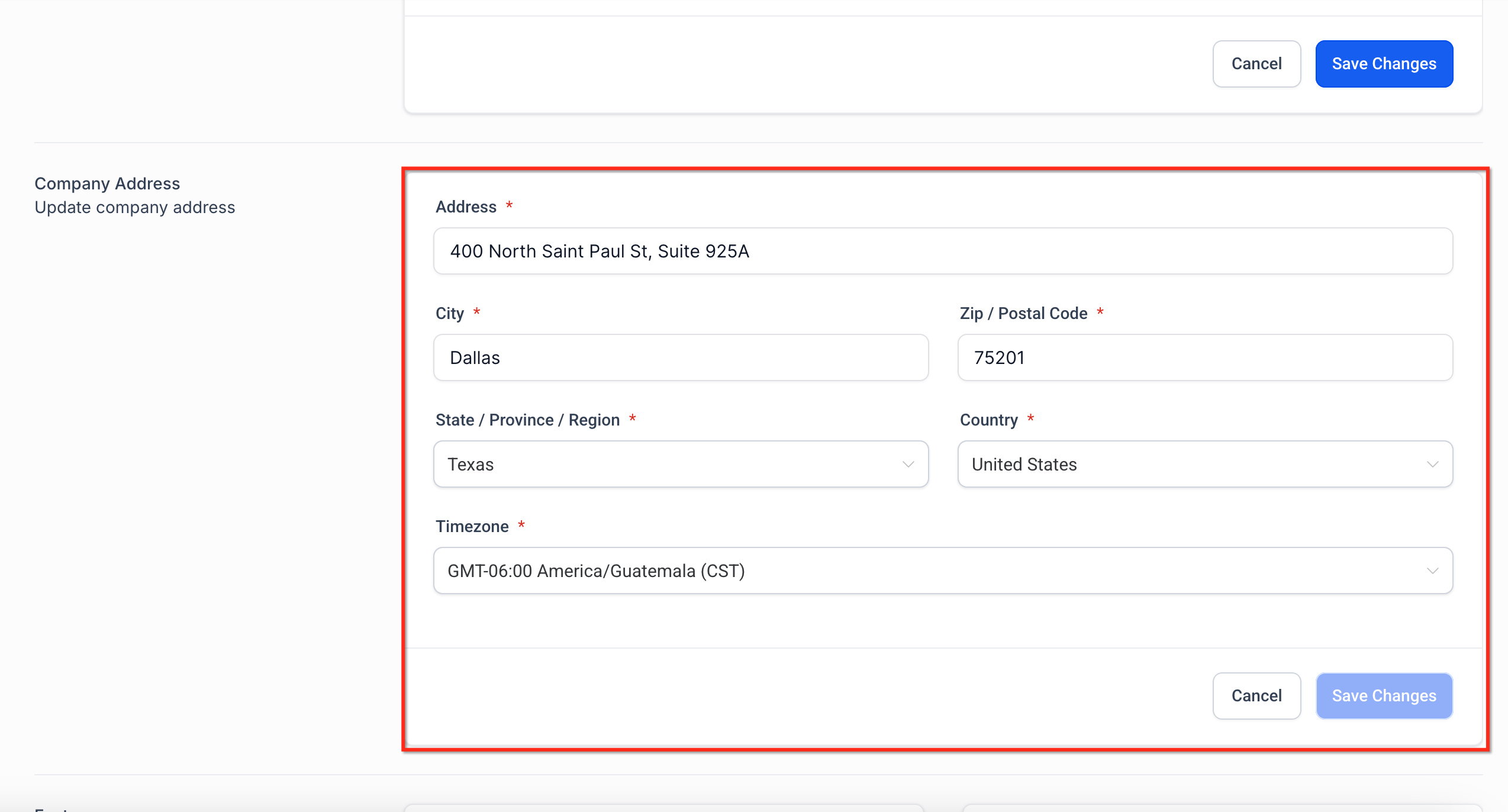
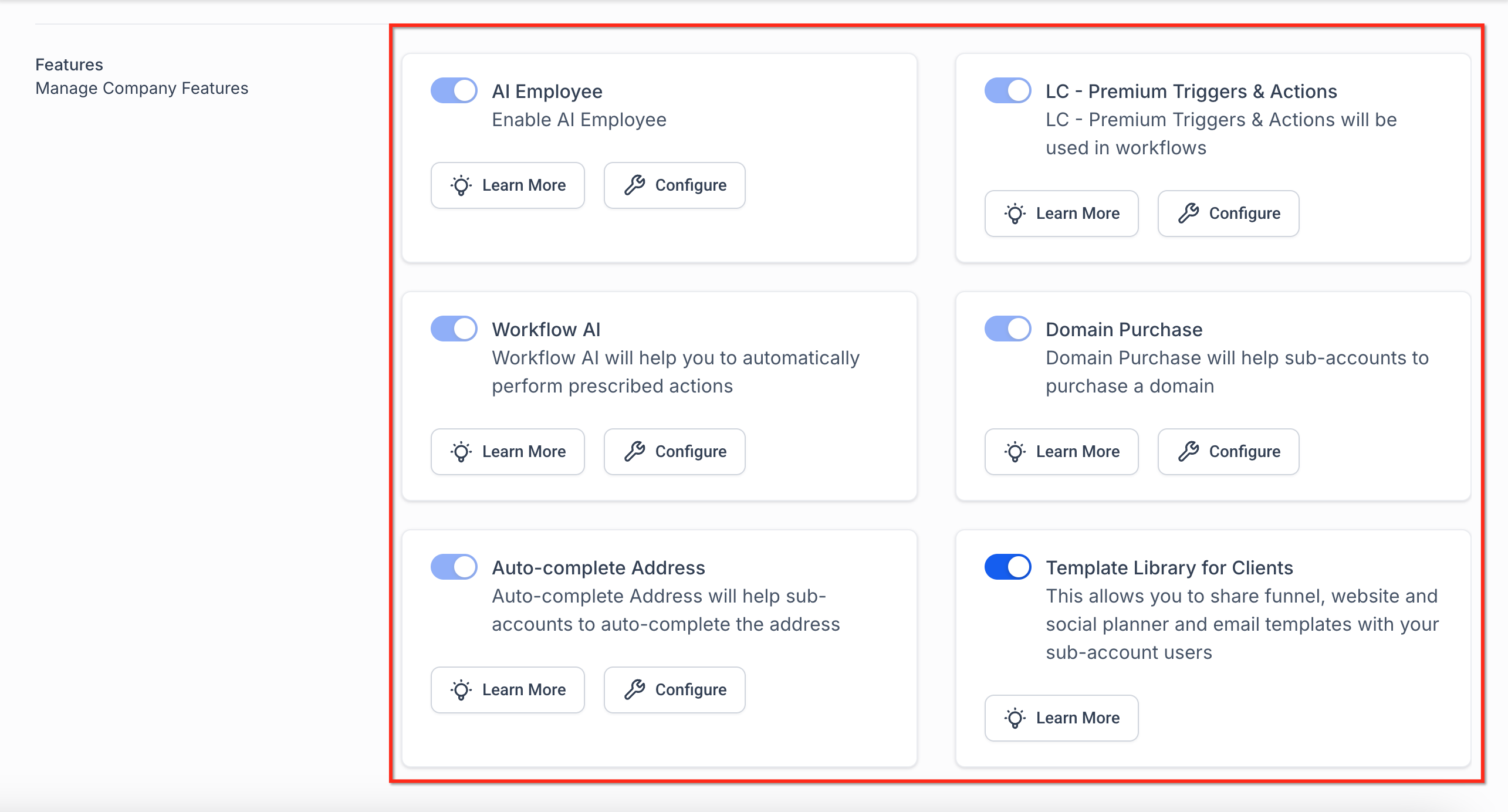
The Basic Details tab is where you establish the fundamental identity of your agency within GoHighLevel. Here, you define your business name, contact information, and activate key agency-wide features. These foundational settings ensure consistent branding and functionality across your platform and client-facing elements. Accurate details here are critical as they appear in login portals, email templates, and system-generated messages, setting the tone for your agency.
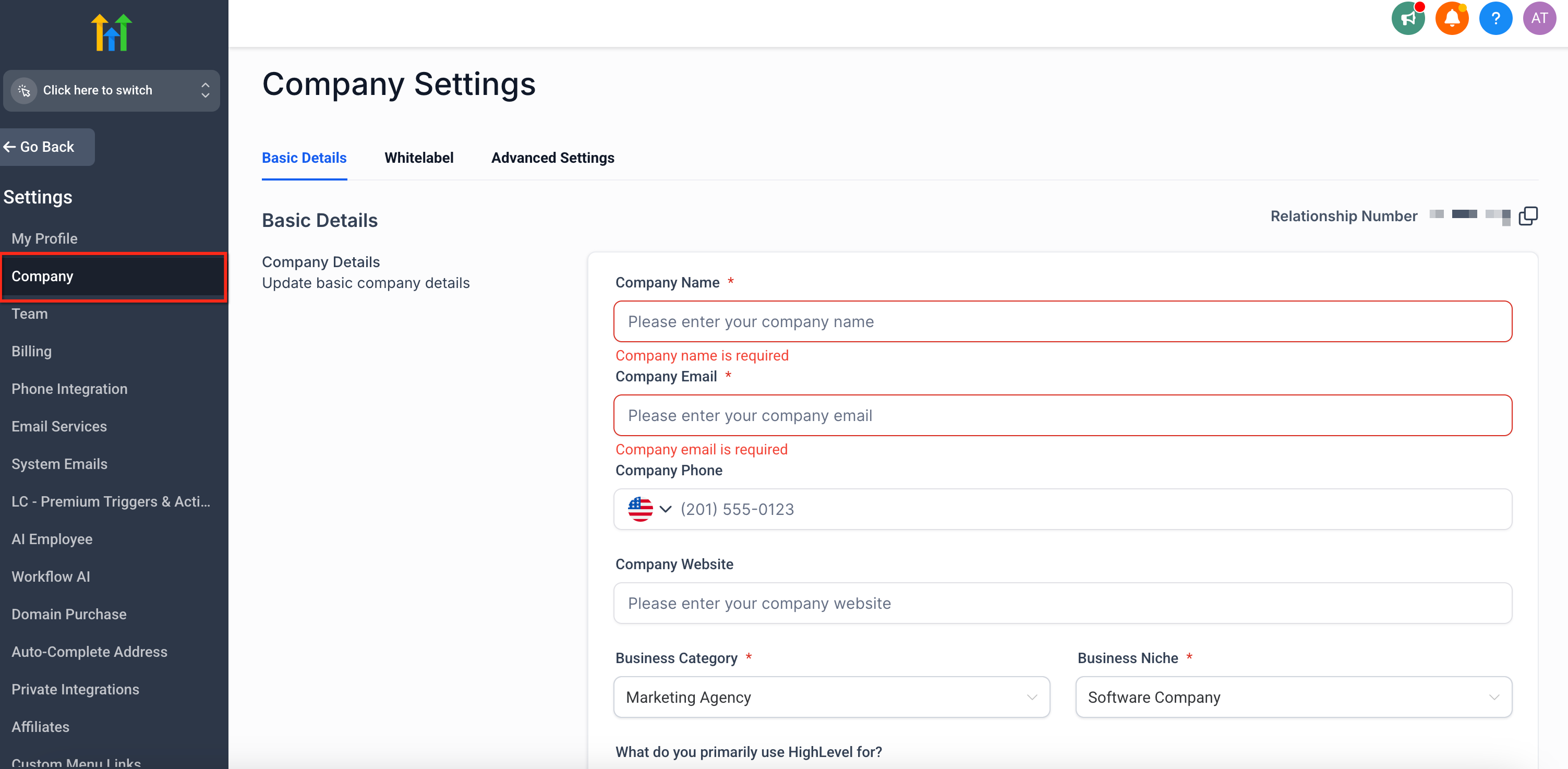

Regularly review your Basic Details to ensure all contact information and feature toggles remain accurate and aligned with your agency's current operations and offerings.
Resell GoHighLevel as your own SaaS
Launch your own software business on the platform behind 78+ agencies. SaaS Mode, rebilling, unlimited sub-accounts.
Some links are affiliate links — if you sign up we may earn a commission, at no extra cost to you. We only recommend GoHighLevel because we build on it every day.
Whitelabeling Your Agency Experience
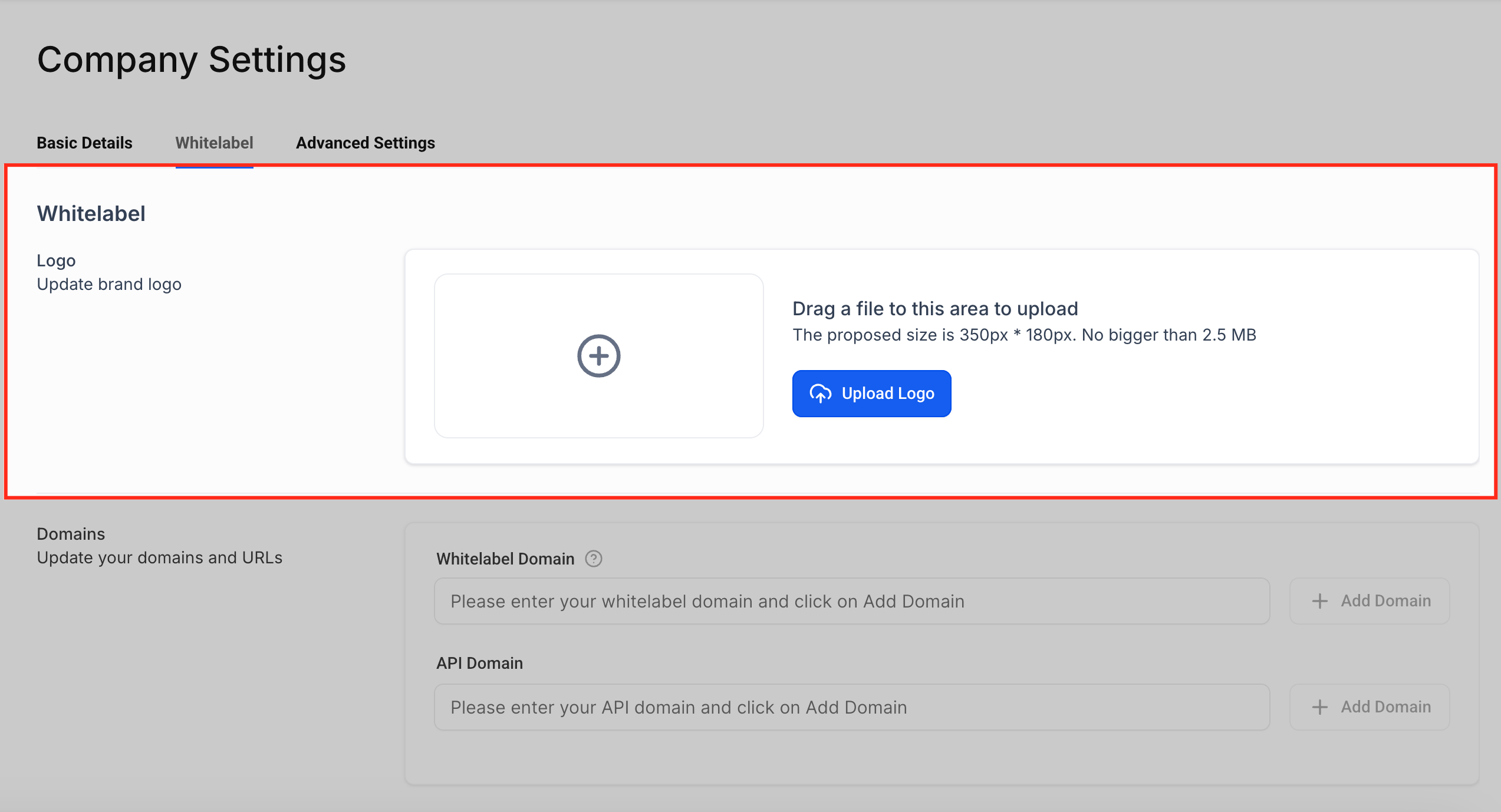
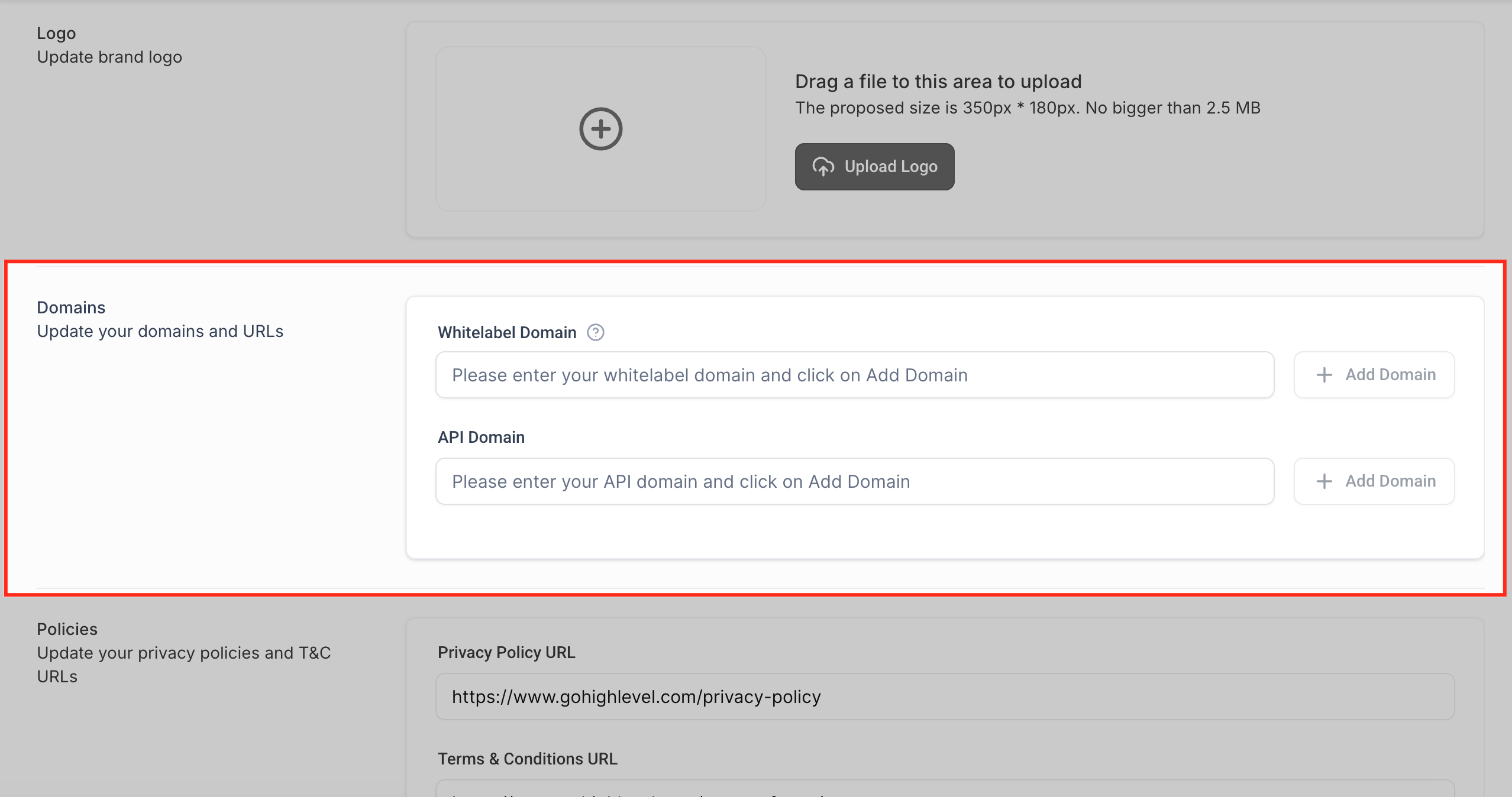
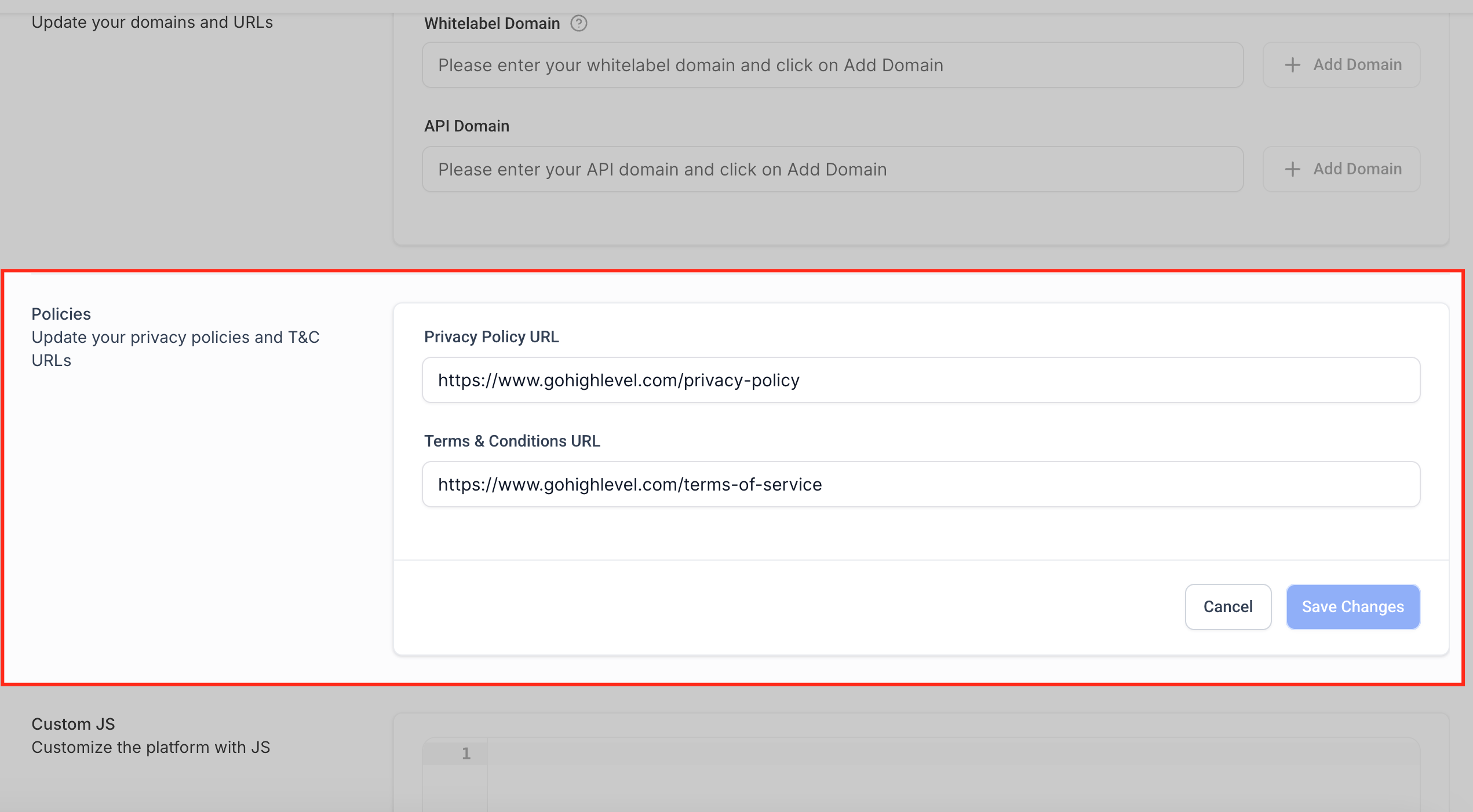
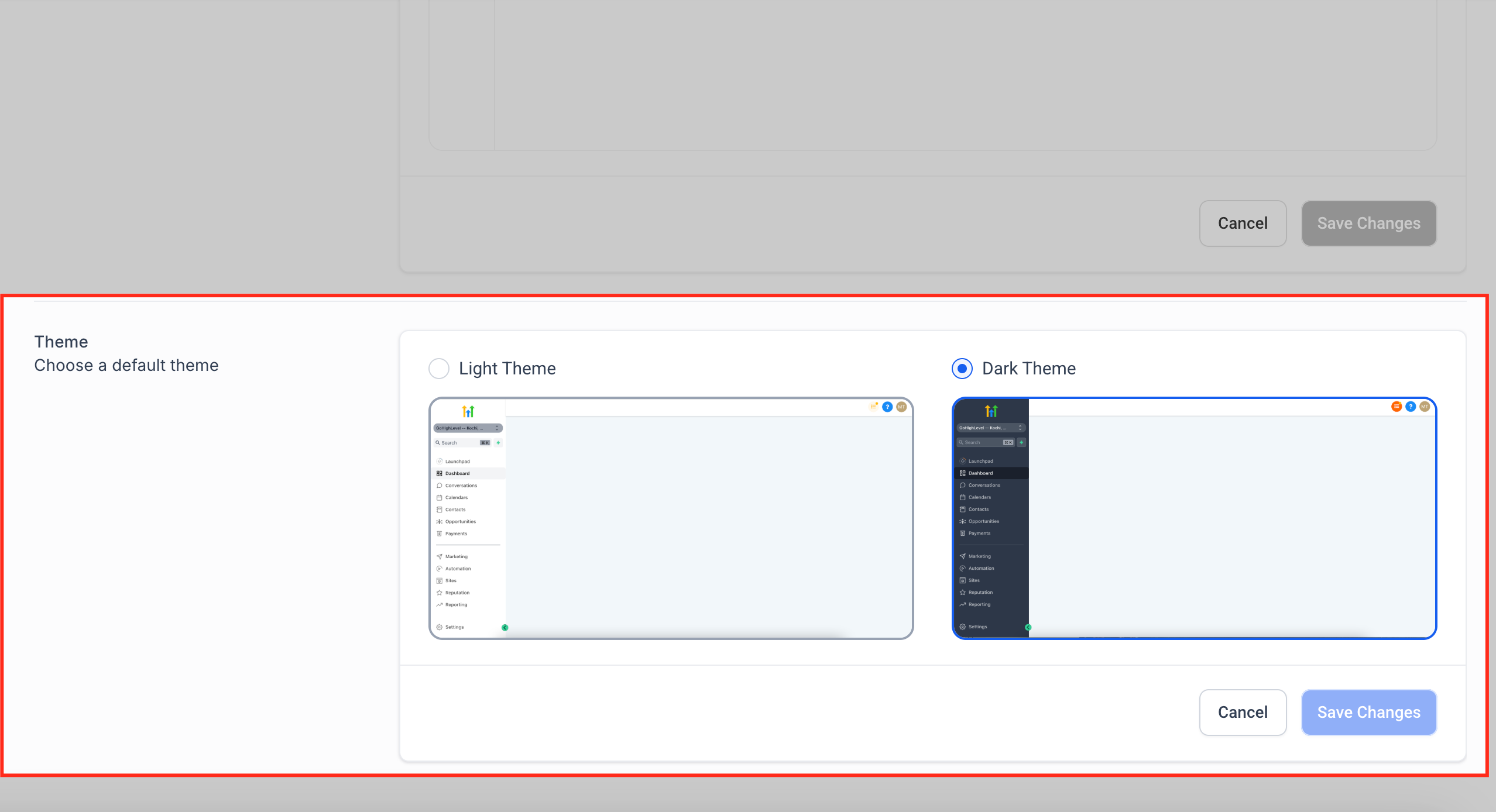
The Whitelabel tab allows you to fully customize your agency’s branding for client-facing experiences. This is where you remove GoHighLevel branding and replace it with your own logos, domains, and legal policies. Achieving a complete whitelabel experience builds trust and professionalism, making the platform feel like your own proprietary software. From custom login screens to branded system links, these settings are vital for maintaining a strong brand identity.
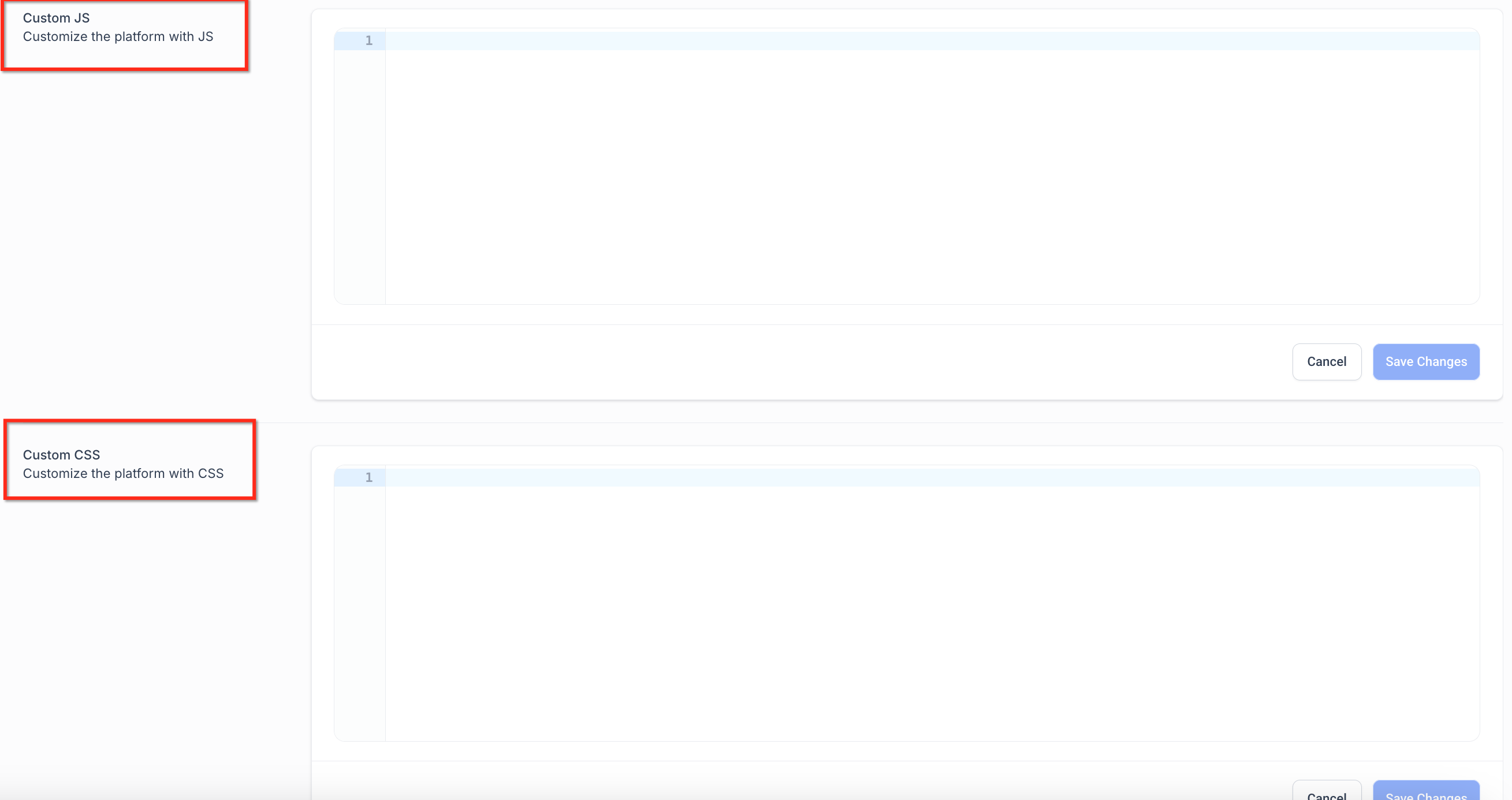
✅ Caution: After any platform update, re-check your custom CSS with Chrome DevTools. Unsupported overrides may stop working and can cause blank screens or broken layouts. Avoid applying CSS to mobile apps, React pop-ups, back-end generated PDFs, or the core drag-and-drop builder UI.
For custom CSS, use Chrome DevTools to inspect elements and copy stable selectors. This ensures your styling is applied accurately and reliably.
Managing Advanced Security and Onboarding
The Advanced Settings tab provides critical controls for securing your agency account, managing user session behavior, and optimizing the onboarding experience for your clients. Proper configuration here helps prevent unauthorized access, improves user experience, and ensures smoother operations across your agency and its sub-accounts. This section includes toggles for key productivity features, early access tools, and platform security controls that impact both your agency and your sub-accounts.
Always enable Enhanced Account Security unless a specific legacy integration absolutely requires legacy API keys. Prioritizing security protects your agency and client data from potential vulnerabilities.
Troubleshooting Common Issues
Common Mistakes to Avoid
- →Forgetting to click 'Save' after making changes in any of the Company Settings tabs.
- →Applying custom CSS to unsupported areas (e.g., mobile apps, core builder UI), leading to broken layouts after updates.
- →Not configuring an API Domain, which results in system-generated links still showing GoHighLevel branding.
- →Overlooking the Enhanced Account Security setting, leaving API keys vulnerable to unauthorized access.
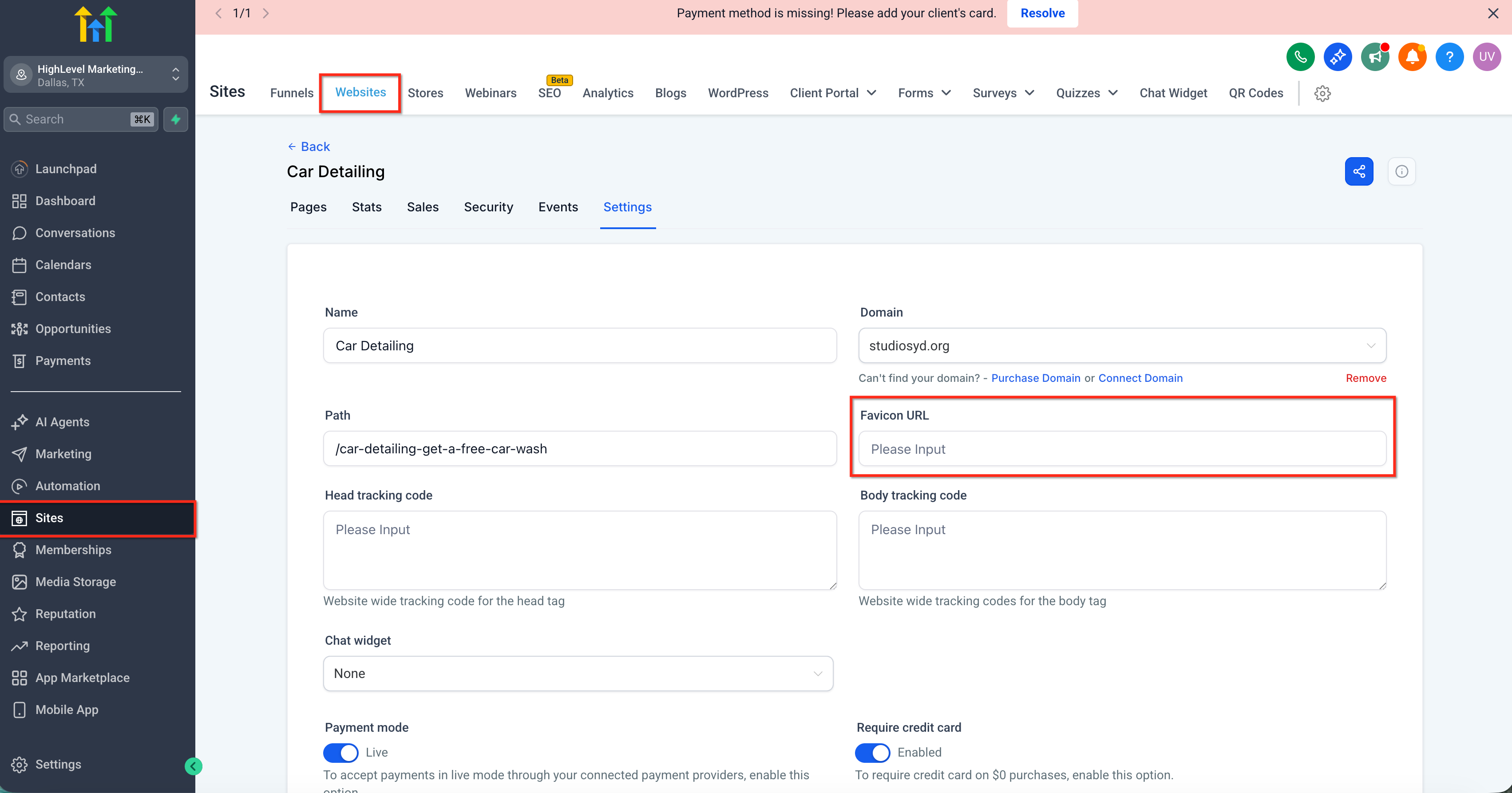
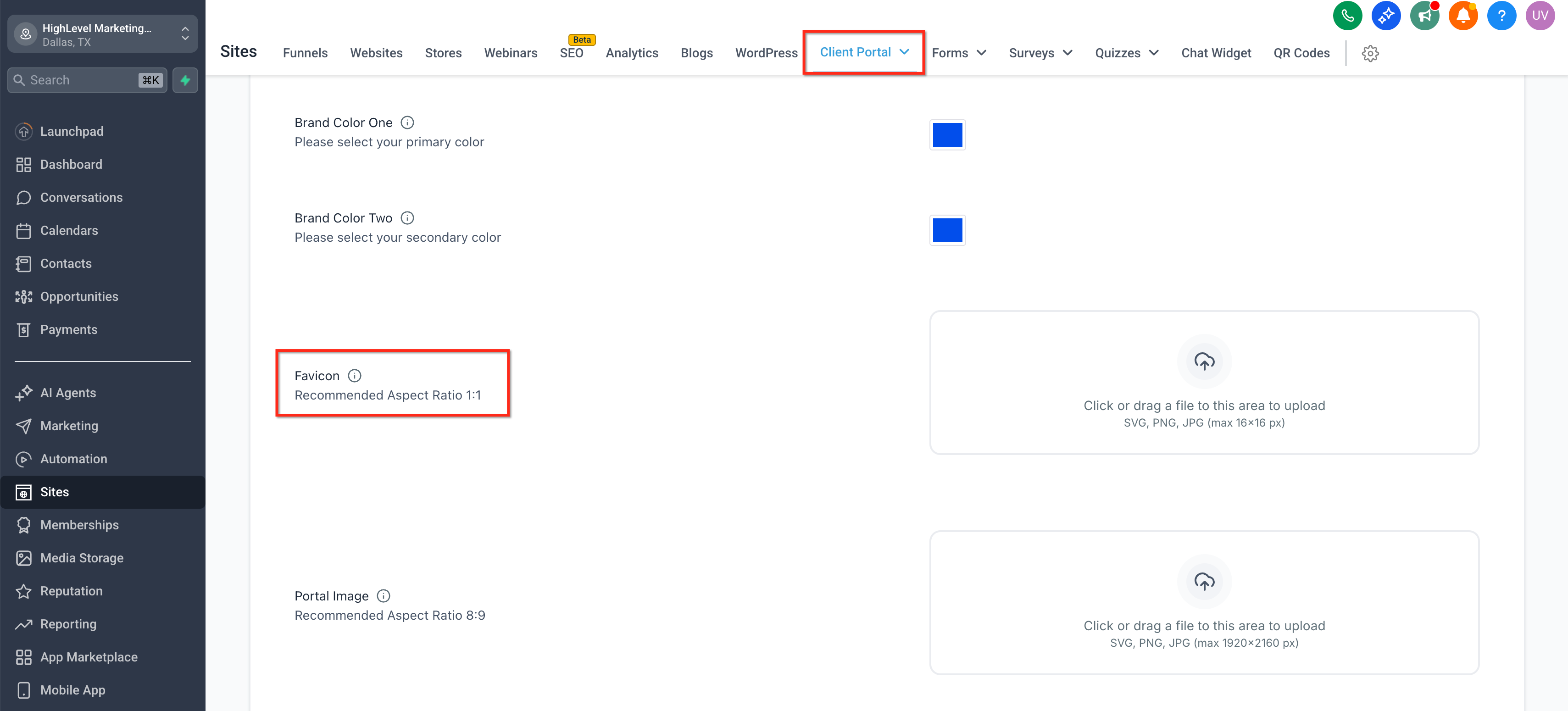
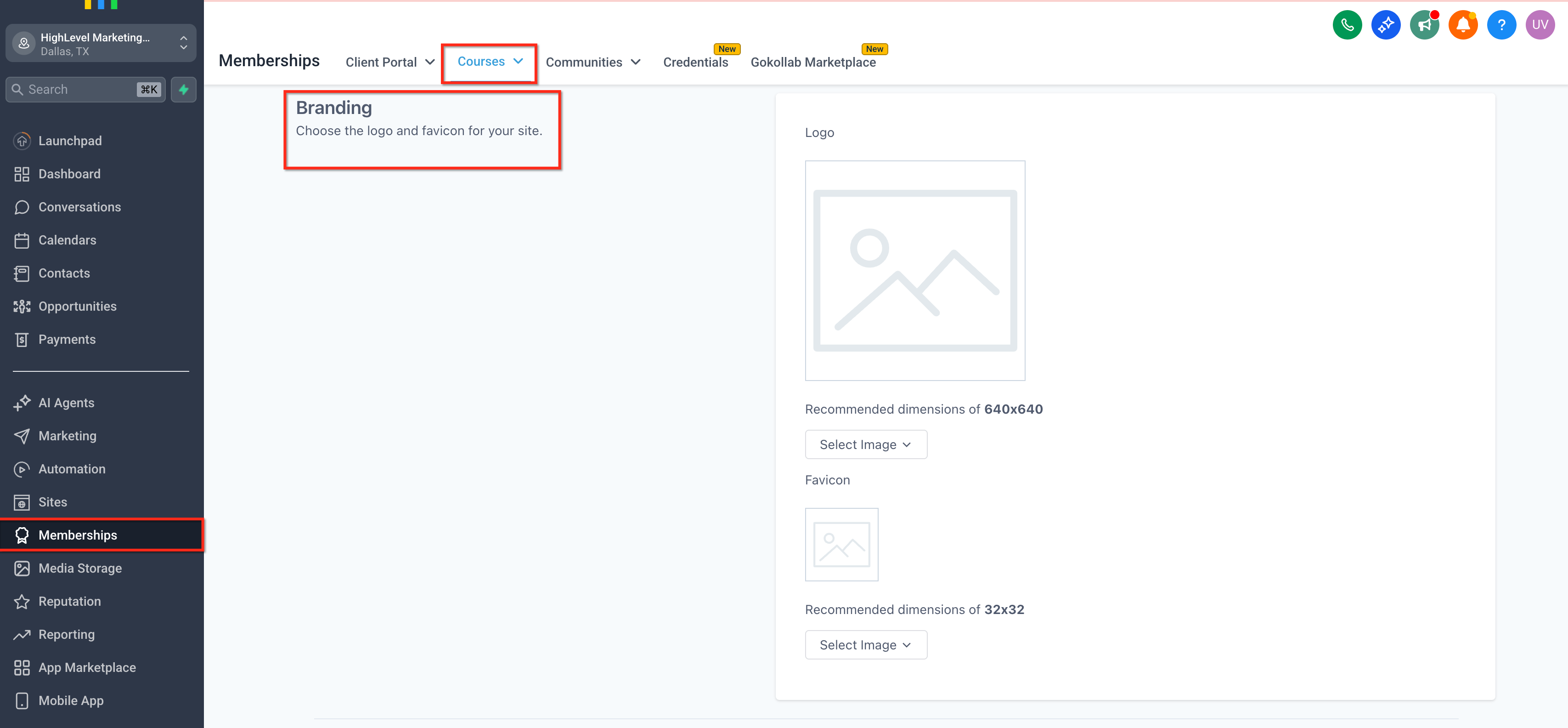
- →Expecting a single agency-wide favicon upload to apply everywhere, instead of setting it per site, portal, or course.
Frequently Asked Questions
Resell GoHighLevel as your own SaaS
Launch your own software business on the platform behind 78+ agencies. SaaS Mode, rebilling, unlimited sub-accounts.
Some links are affiliate links — if you sign up we may earn a commission, at no extra cost to you. We only recommend GoHighLevel because we build on it every day.

Arsalan writes GHL guides from real build experience — 78+ systems, $9.2M in client pipeline. Wharton, CXL & Google certified.
Connect on LinkedIn