
Creating New Snapshots in GoHighLevel: Your Step-by-Step Guide
👉 Resell GoHighLevel as your own SaaS.
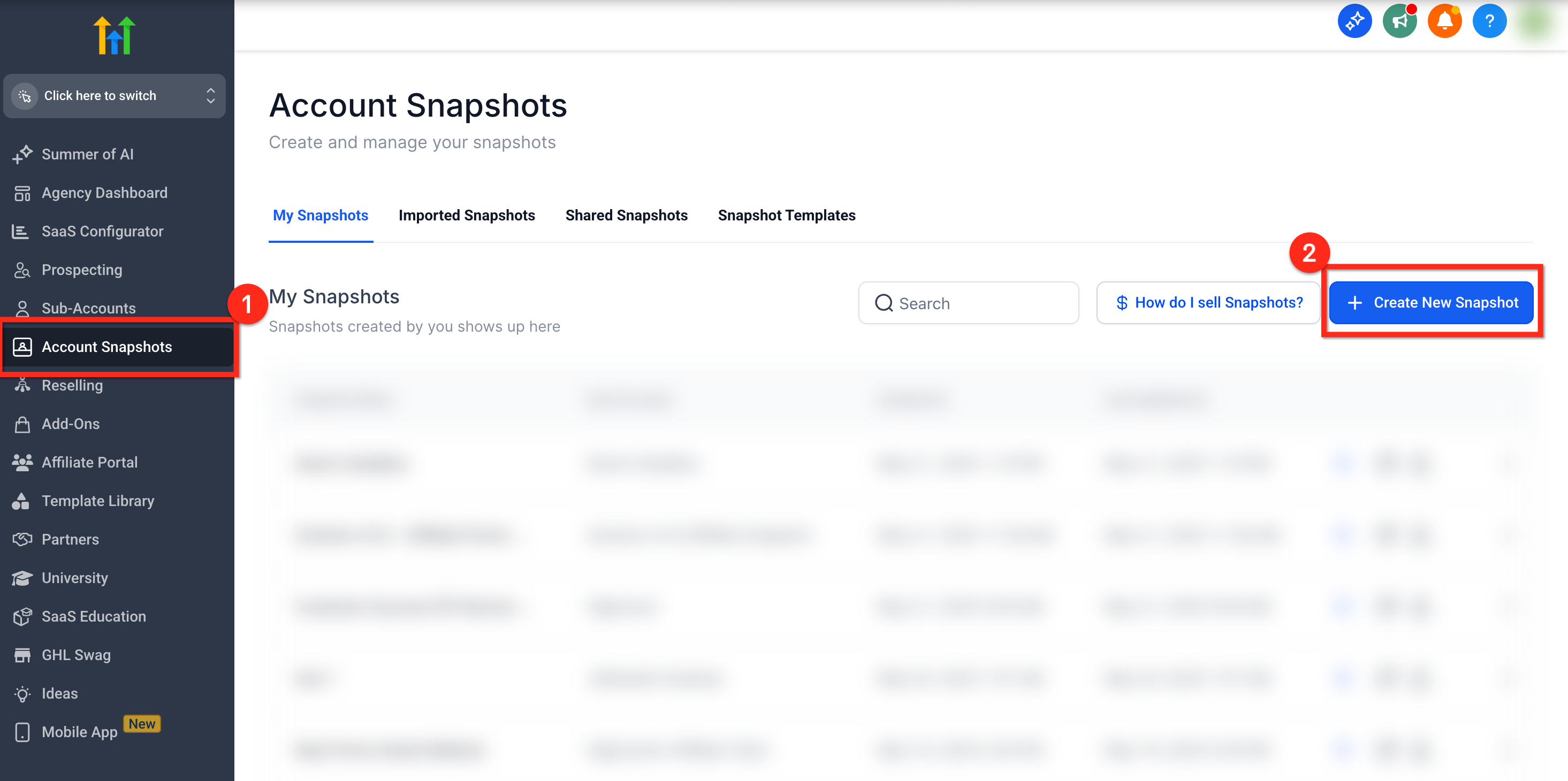
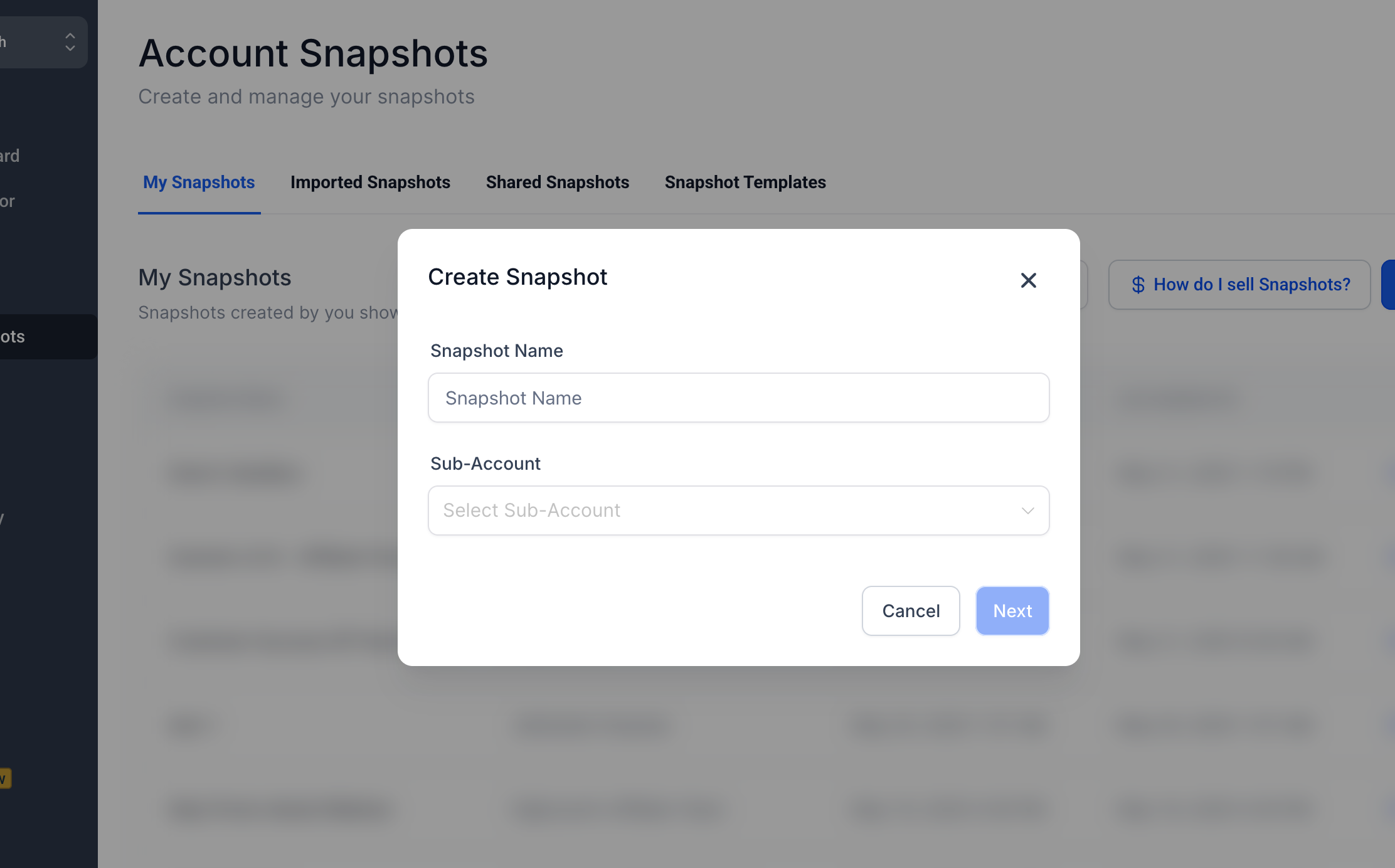
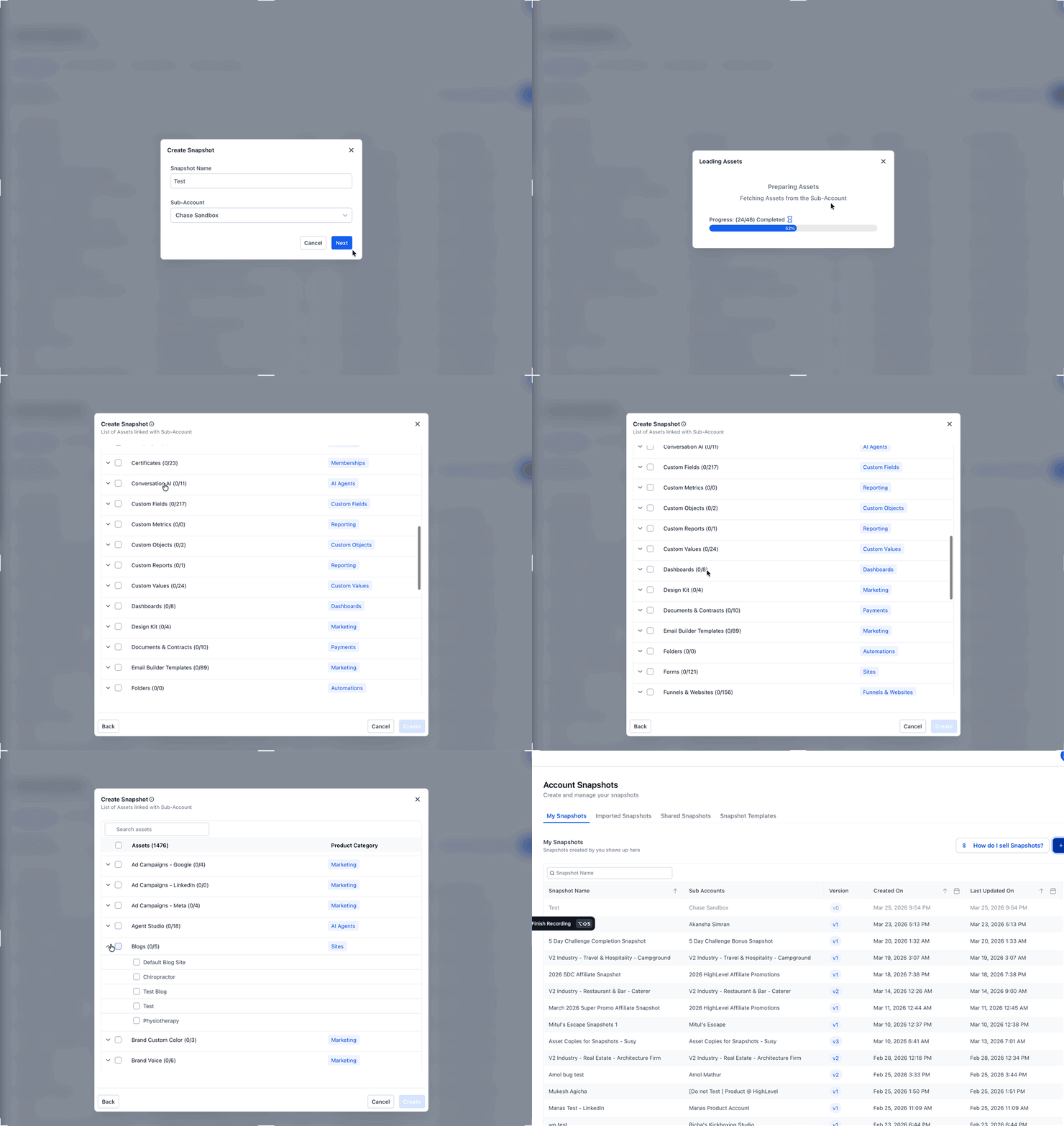
Start SaaS Pro Trial →To create new snapshots in GoHighLevel, go to Agency View → Account Snapshots. Click + Create New Snapshot, name it, select a source sub-account, then choose the assets to include. This process typically takes 5-10 minutes.
- ✓Snapshots save significant time by templating entire sub-account configurations for rapid deployment.
- ✓Always build your desired setup within a fully configured sub-account first, then capture it as a snapshot.
- ✓You have full control to include all eligible assets or selectively choose specific elements like workflows, funnels, or custom fields.
- ✓Snapshots are reusable across unlimited sub-accounts and can be updated later using the Refresh option.
- ✓Understand precisely what's included (e.g., workflows, funnels) and excluded (e.g., contacts, integrations) before creating a snapshot.
Why Create New Snapshots in GoHighLevel?
GoHighLevel snapshots are powerful tools for agencies and businesses. They allow you to save entire sub-account configurations as reusable templates. This means you can quickly deploy complex setups without rebuilding them from scratch every time. Using snapshots dramatically cuts down on setup time for new clients or business verticals. You ensure consistency across all your accounts, maintaining a high standard of service. Snapshots are also fundamental for GoHighLevel SaaS offers, enabling you to provide pre-built account templates to your subscribers.
How Do You Create a New Snapshot?
Creating a snapshot involves selecting a fully configured sub-account and choosing which assets you want to template. Follow these steps to build your first reusable snapshot.
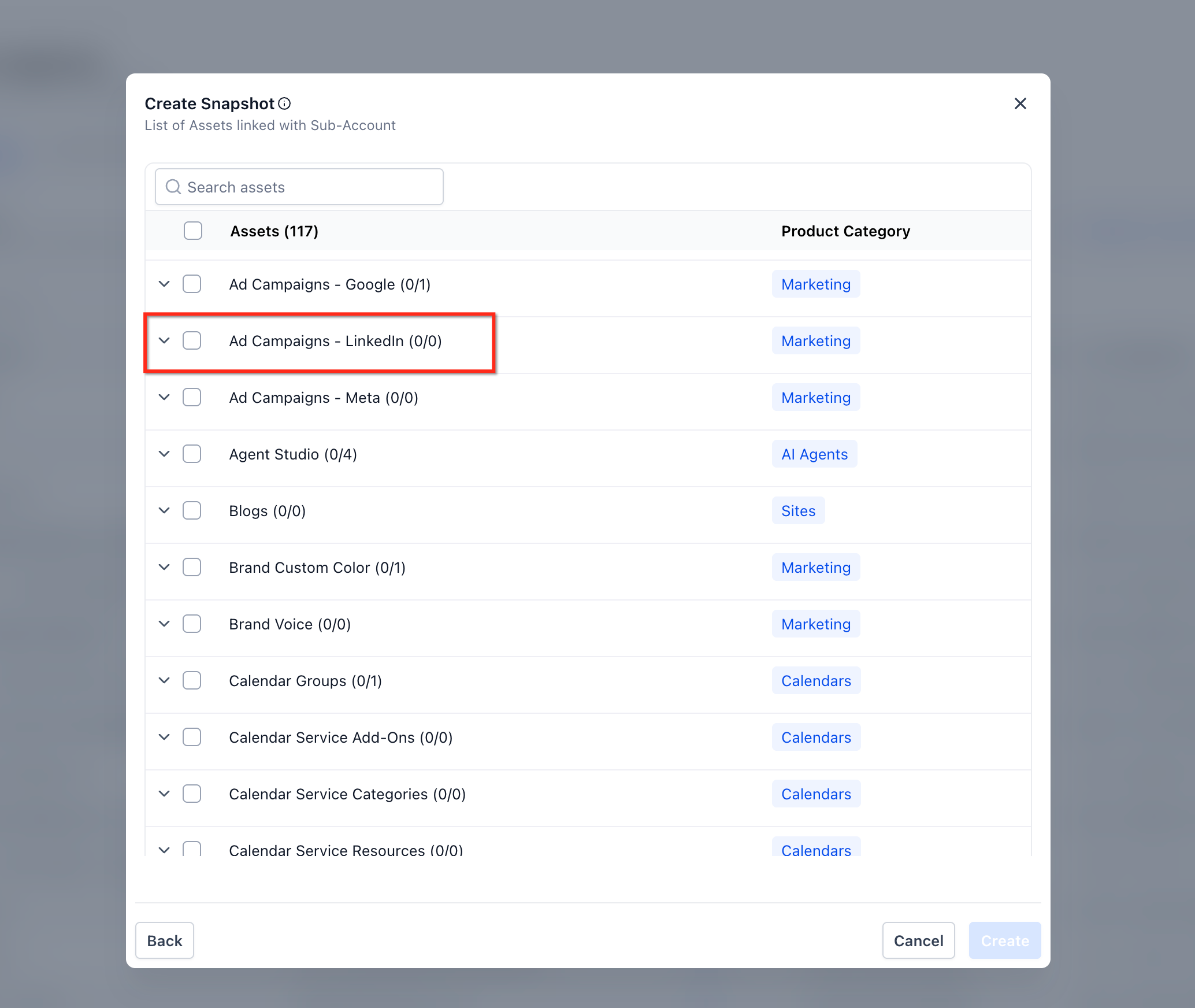
✅ CRM object associations are automatically included in snapshots, provided both related objects in the relationship are selected. However, Contact-to-Contact associations are not supported at this time.
Before creating a snapshot, ensure your source sub-account is fully configured and thoroughly tested. This proactive step prevents capturing incomplete or incorrect setups, saving you time on future deployments.
What's Included and Excluded in a Snapshot?
Understanding what GoHighLevel snapshots capture and what they intentionally leave out is crucial for effective templating. This ensures you build and deploy your sub-accounts correctly.
Resell GoHighLevel as your own SaaS
Launch your own software business on the platform behind 78+ agencies. SaaS Mode, rebilling, unlimited sub-accounts.
Some links are affiliate links — if you sign up we may earn a commission, at no extra cost to you. We only recommend GoHighLevel because we build on it every day.
What's Included in a Snapshot?
Snapshots are designed to capture the structural and functional elements of your GoHighLevel account. This allows for consistent deployment of your business logic and marketing assets.
What's Excluded from a Snapshot?
Snapshots are designed to be templates, not data backups. Therefore, they intentionally exclude sensitive, client-specific, or dynamic data to keep your templates clean and universally applicable.
⚠️ Never rely on snapshots as a backup for client data. Always export contacts and other critical information separately if you need to transfer or archive it.
Managing Your Snapshots: Refreshing and Reusing
Once created, your snapshots are not static. GoHighLevel provides tools to update them and apply them repeatedly, maximizing their utility for your agency.
Regularly refresh your core snapshots to incorporate new GoHighLevel features or improvements you've added to your master sub-account template. This keeps your templates current and powerful.
Troubleshooting Common Issues
Common Mistakes to Avoid
- →Not building a complete, fully tested sub-account *before* attempting to create the snapshot.
- →Forgetting to manually select specific asset categories, leading to incomplete or partially configured snapshots.
- →Confusing what's included (workflows, funnels) versus what's intentionally excluded (contacts, integrations, payment gateways).
- →Attempting to create a snapshot from a blank or empty sub-account, resulting in an empty template.
- →Not regularly refreshing existing snapshots to incorporate new updates, GoHighLevel features, or improvements made to your master template.
Frequently Asked Questions
Resell GoHighLevel as your own SaaS
Launch your own software business on the platform behind 78+ agencies. SaaS Mode, rebilling, unlimited sub-accounts.
Some links are affiliate links — if you sign up we may earn a commission, at no extra cost to you. We only recommend GoHighLevel because we build on it every day.

Arsalan writes GHL guides from real build experience — 78+ systems, $9.2M in client pipeline. Wharton, CXL & Google certified.
Connect on LinkedIn