
Mastering GoHighLevel Sticky Contact for Accelerated Pipeline
👉 Start your 30-day GoHighLevel free trial.
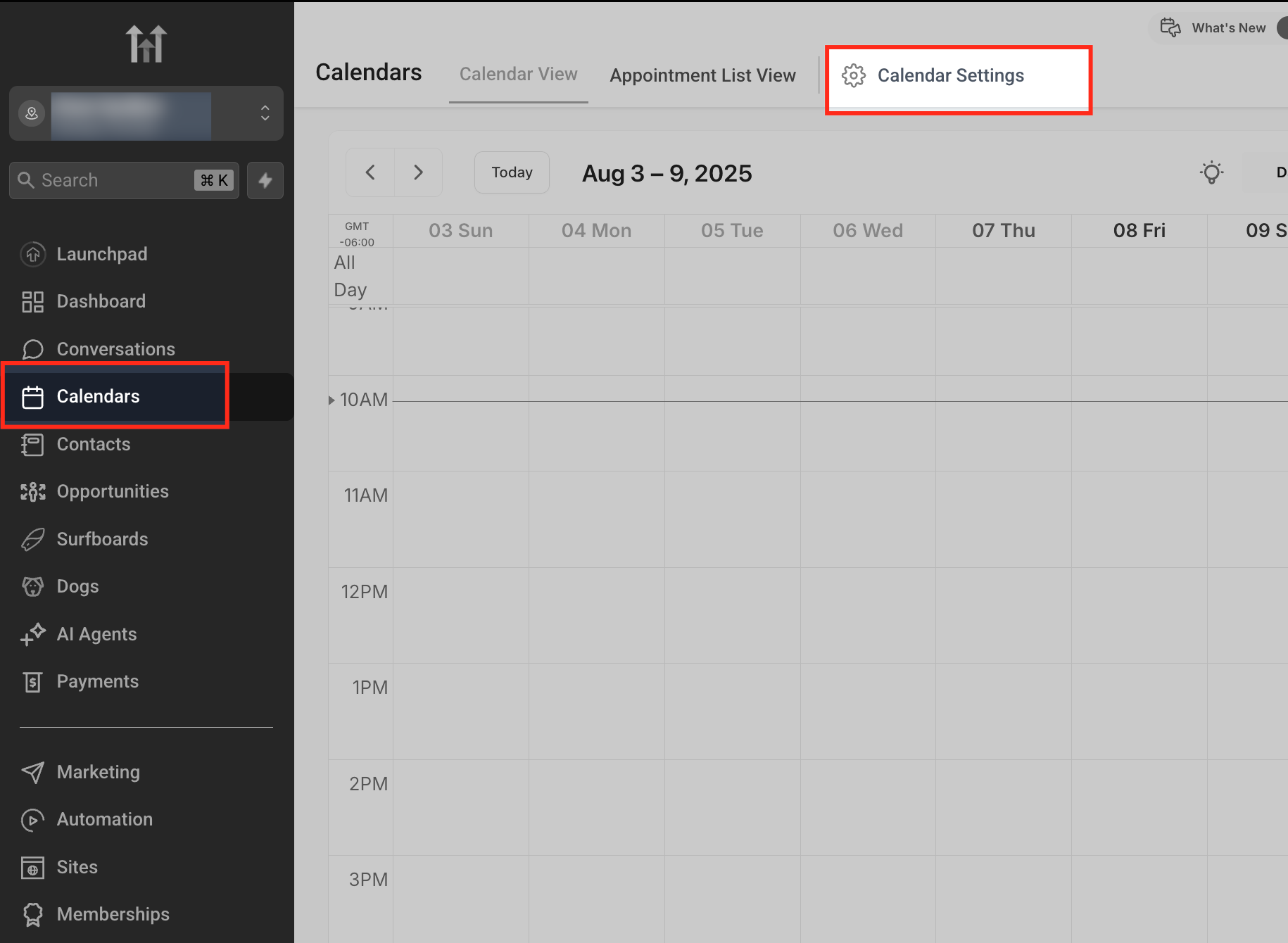
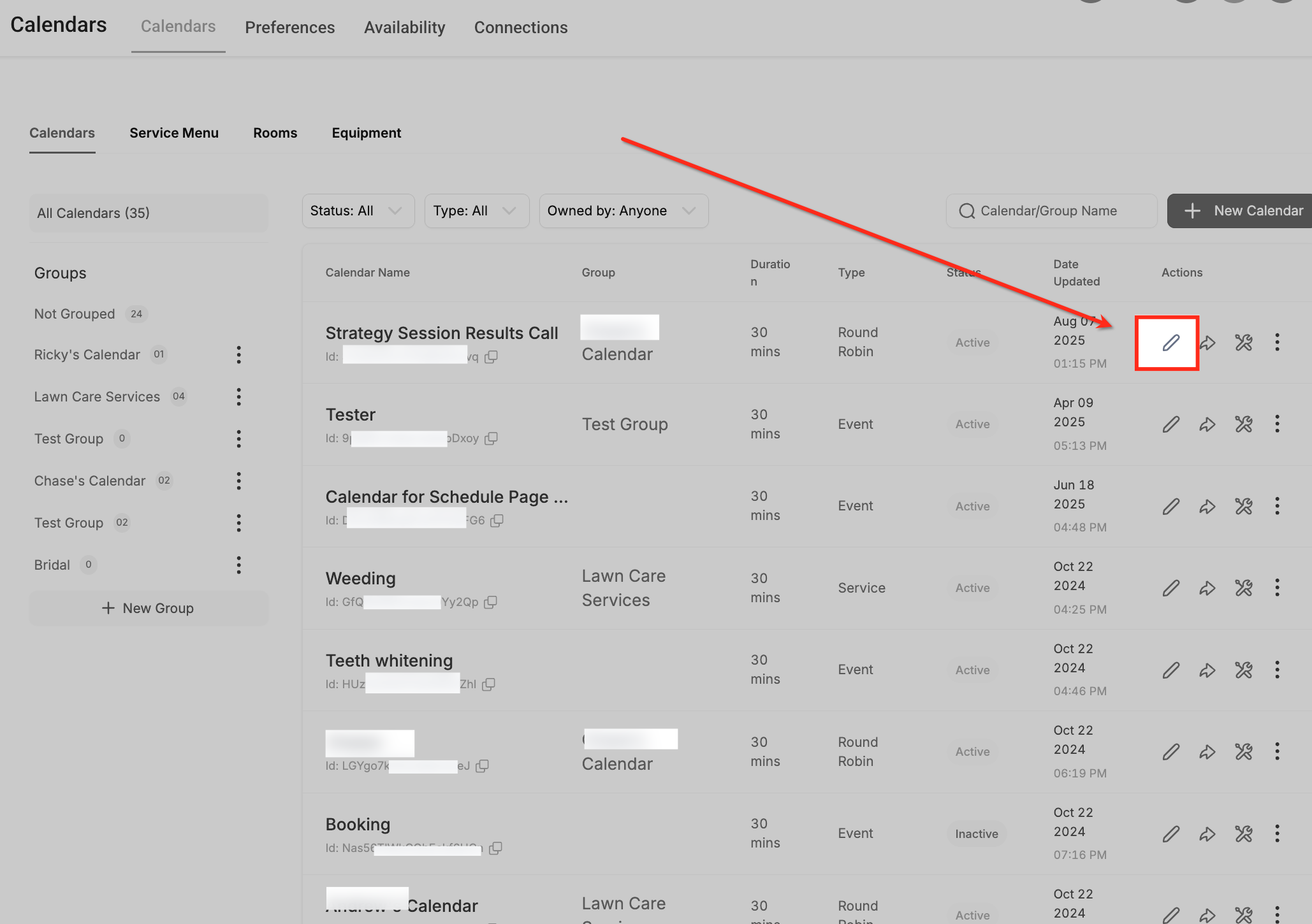
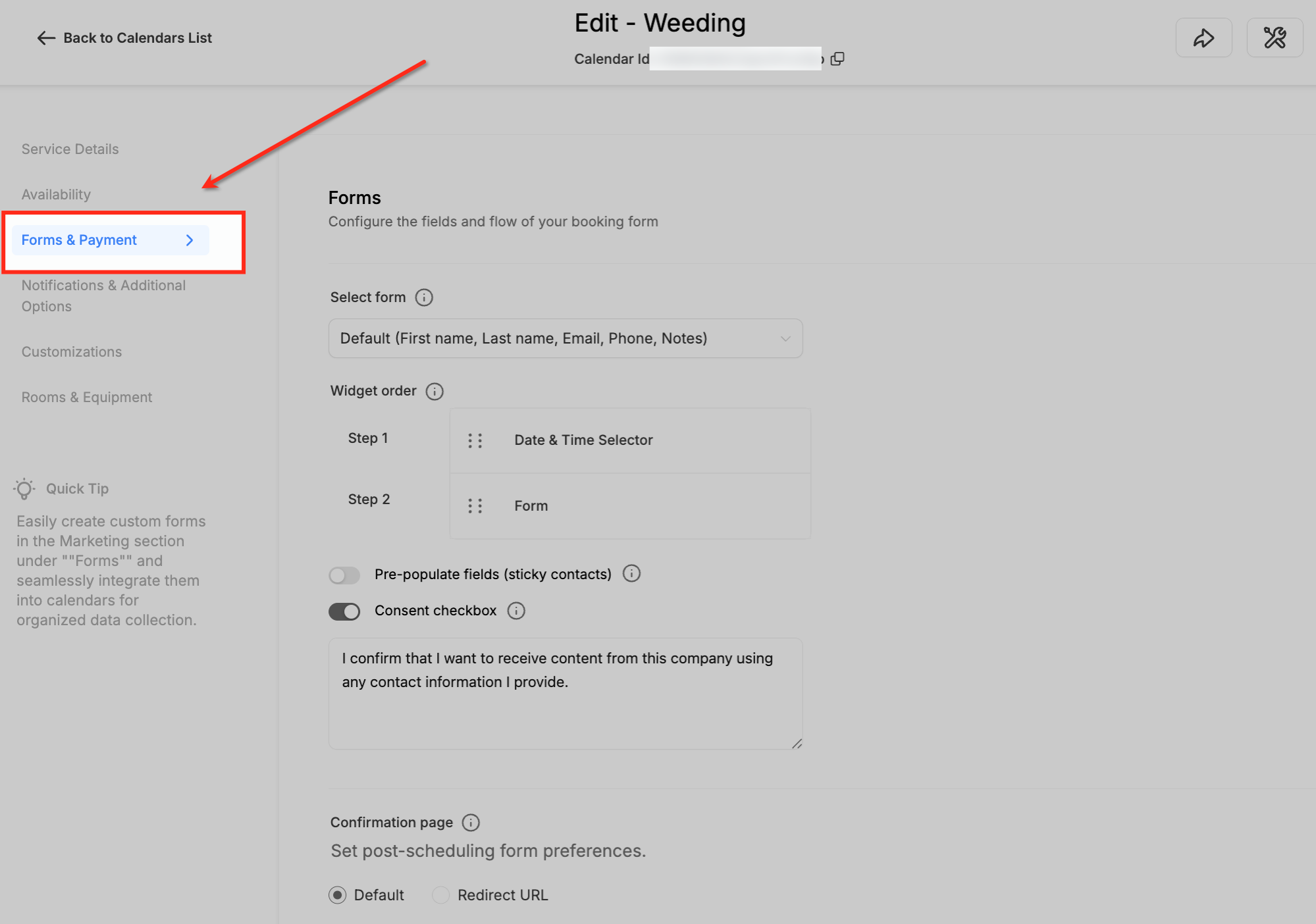
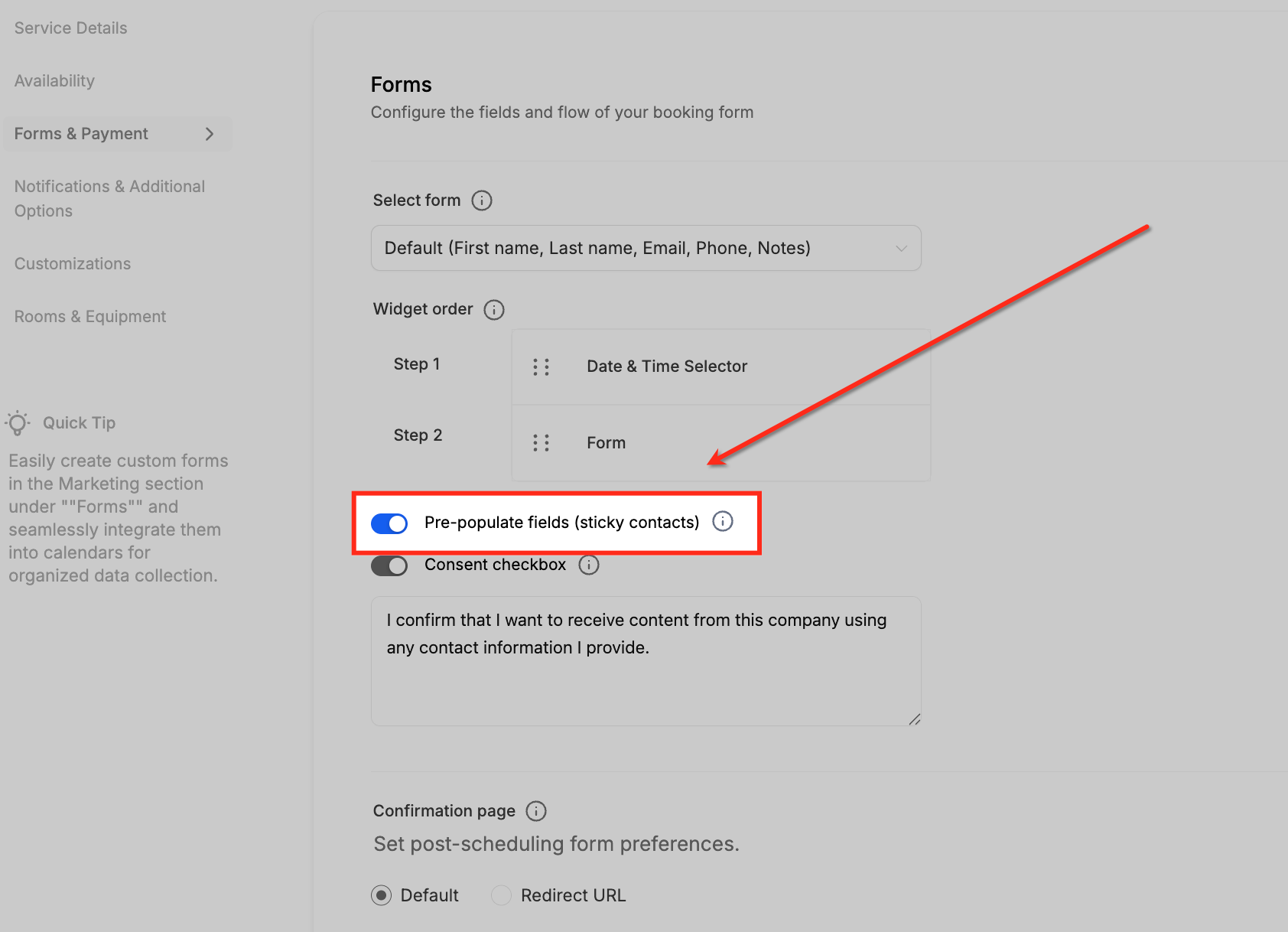
Start 30-Day Free Trial →To enable GoHighLevel Sticky Contact, go to Sites → Forms, Sites → Surveys, or Calendars → Calendar Settings. Find the desired asset, then toggle the Sticky Contact switch to "On" within its settings. This process takes under 2 minutes per asset and significantly boosts conversion rates by pre-filling contact data for returning visitors.
- ✓Sticky Contact automatically pre-fills forms, surveys, and calendars for returning visitors.
- ✓It significantly enhances user experience and directly increases conversion rates.
- ✓Enable Sticky Contact in **Sites → Forms**, **Sites → Surveys**, or **Calendars → Calendar Settings**.
- ✓Functionality relies on browser cookies; data is domain-specific and not cross-domain.
- ✓Revset Labs leverages Sticky Contact to optimize multi-step funnels and accelerate client pipeline.
Why is GoHighLevel Sticky Contact a Revenue Game-Changer?
GoHighLevel Sticky Contact is a powerful feature that revolutionizes how your contacts interact with your GHL assets. It automatically pre-fills form, survey, and calendar fields with previously entered information. This dramatically reduces friction and improves user experience. At Revset Labs, we implement Sticky Contact in every client system. It is a non-negotiable component of a high-converting revenue engineering strategy. We consistently see clients achieve a 20-25% increase in form completion rates when Sticky Contact is properly activated.
When we set this up for clients, we always consider the entire customer journey. Sticky Contact is crucial for multi-step funnels. It ensures a seamless flow from an initial lead magnet form to a qualification survey, then to a discovery call booking. This continuity keeps prospects engaged and moving forward.
How Do You Enable Sticky Contact for GoHighLevel Forms?
Forms are often the first point of contact for new leads. Enabling Sticky Contact here ensures that subsequent interactions are frictionless. It allows returning visitors to complete your forms faster, increasing submission rates and improving data consistency.
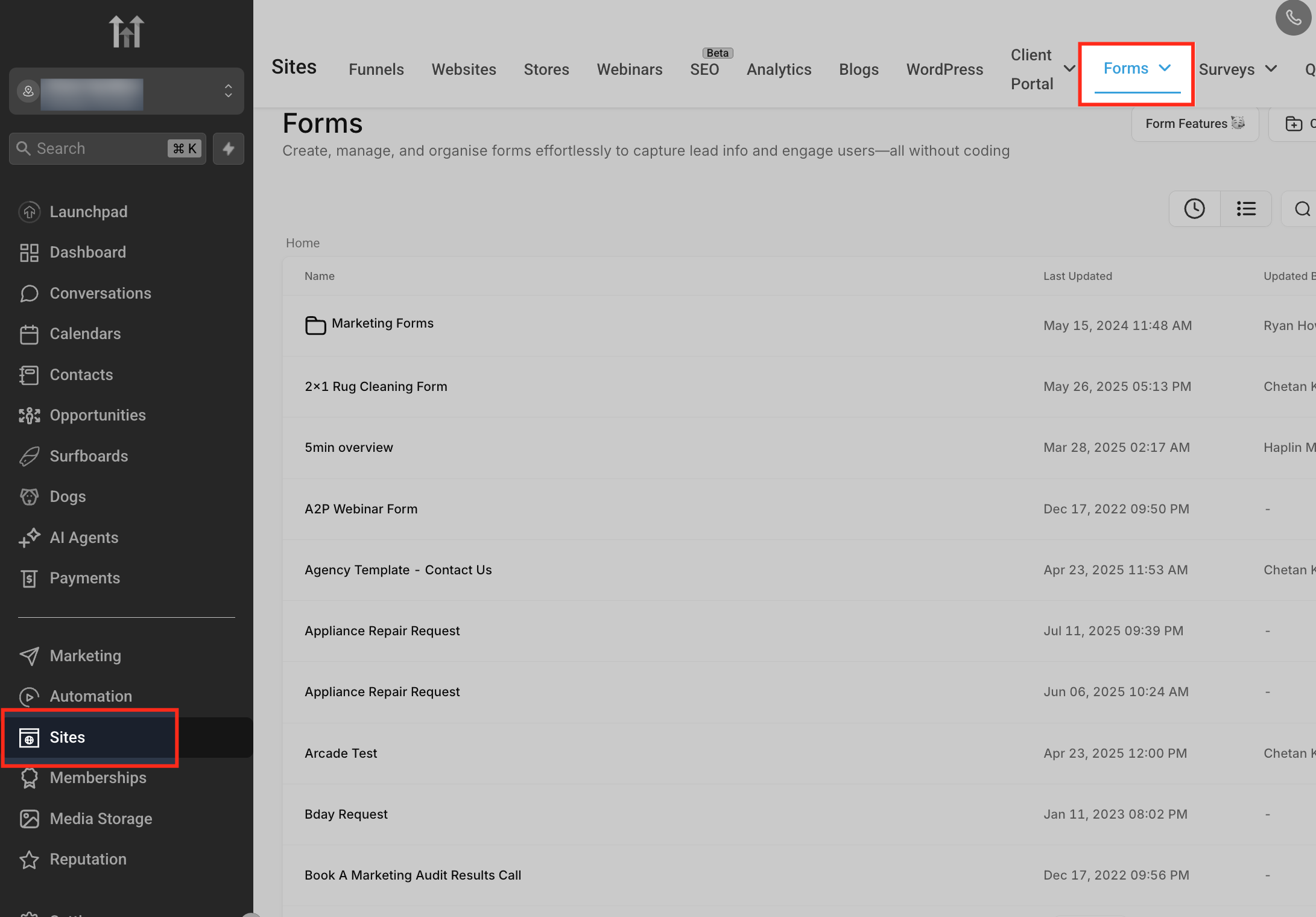
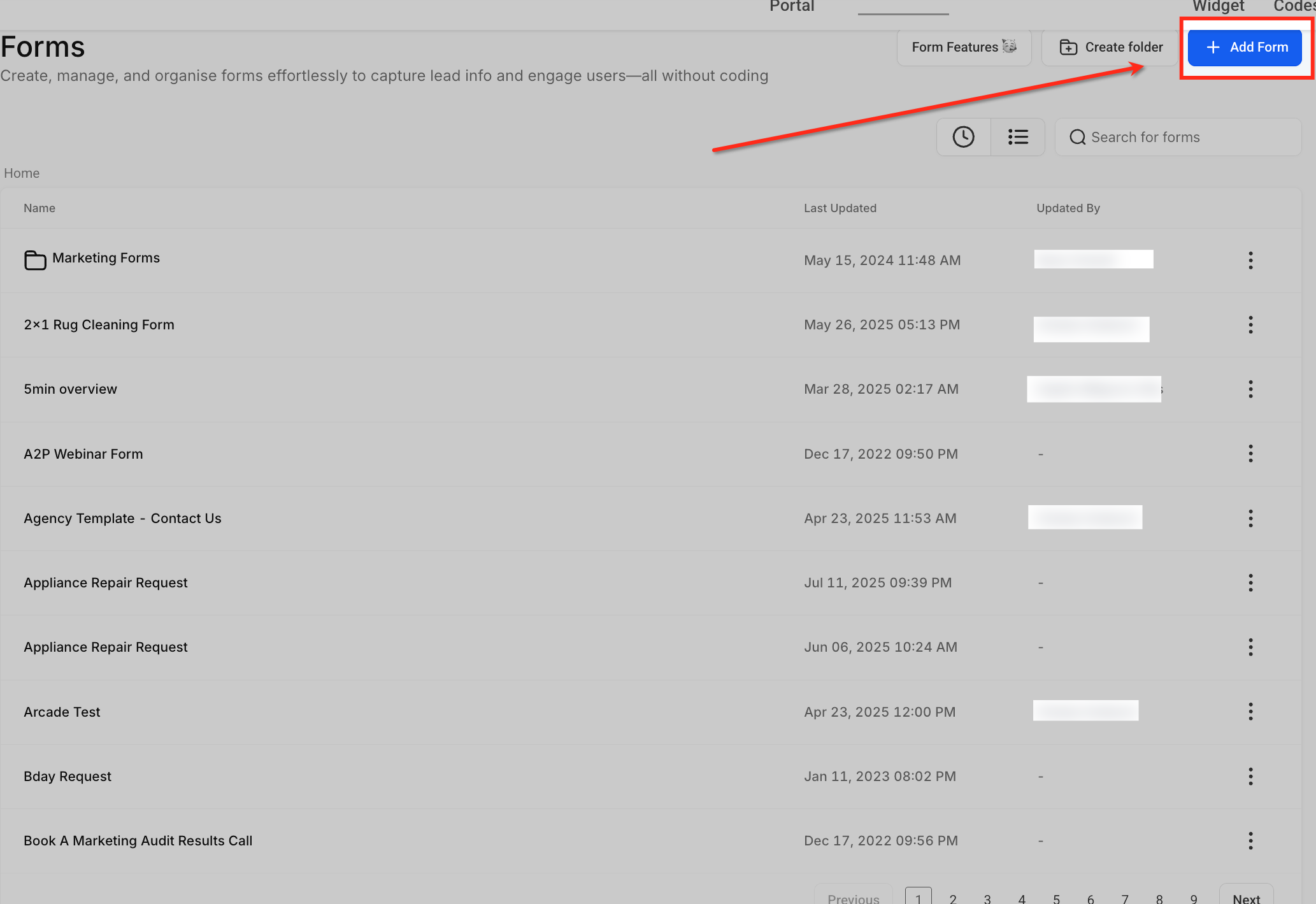
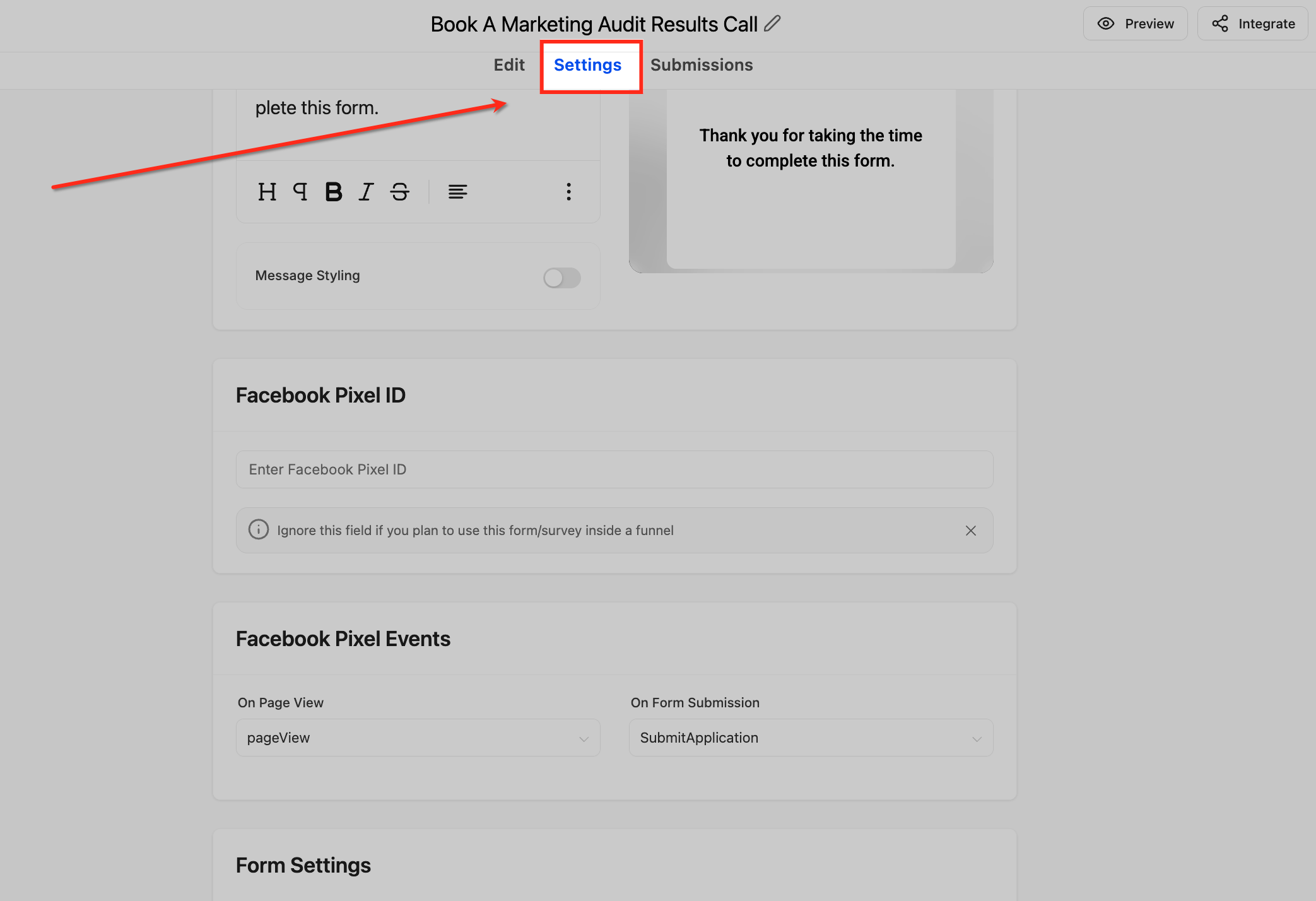
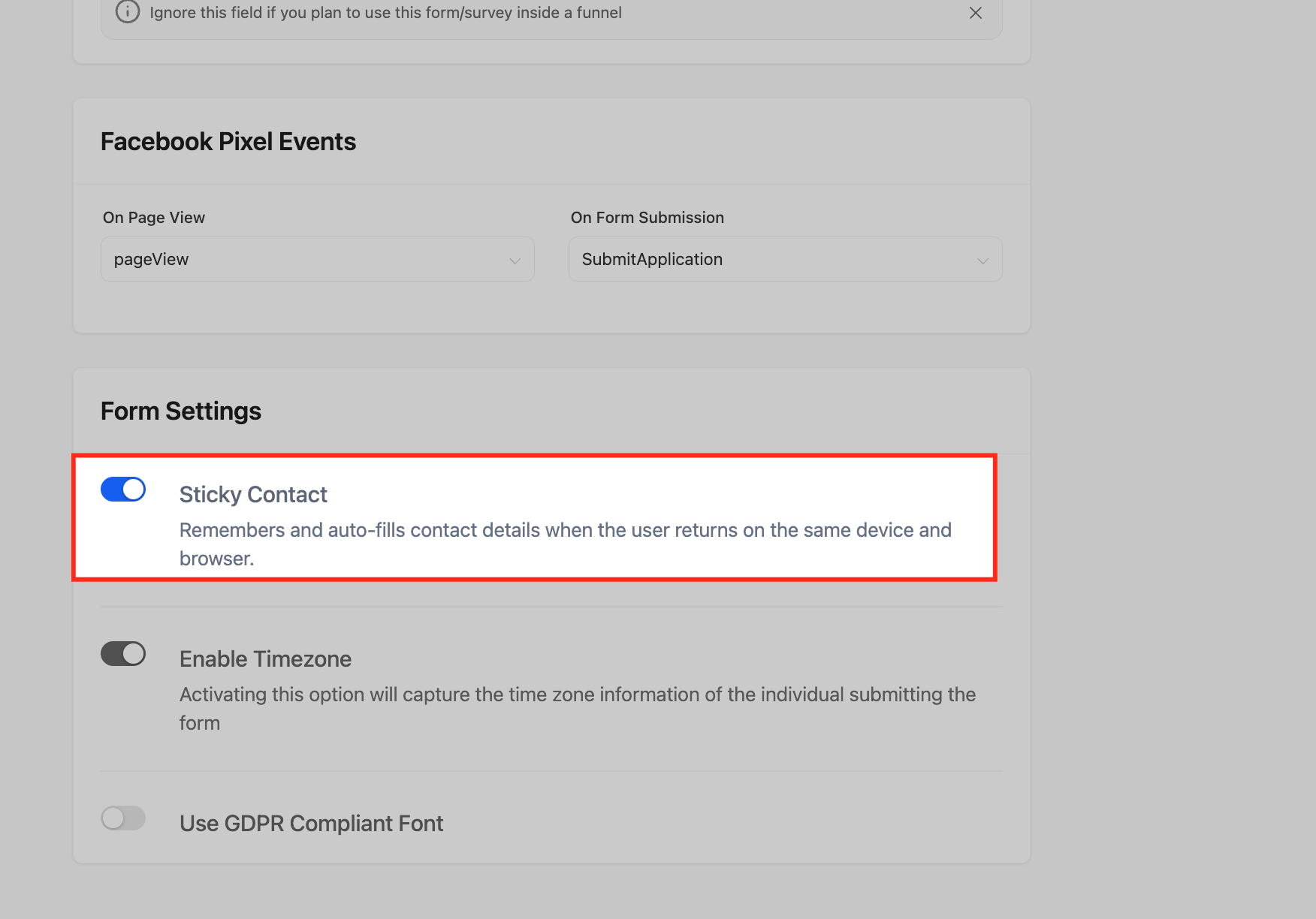
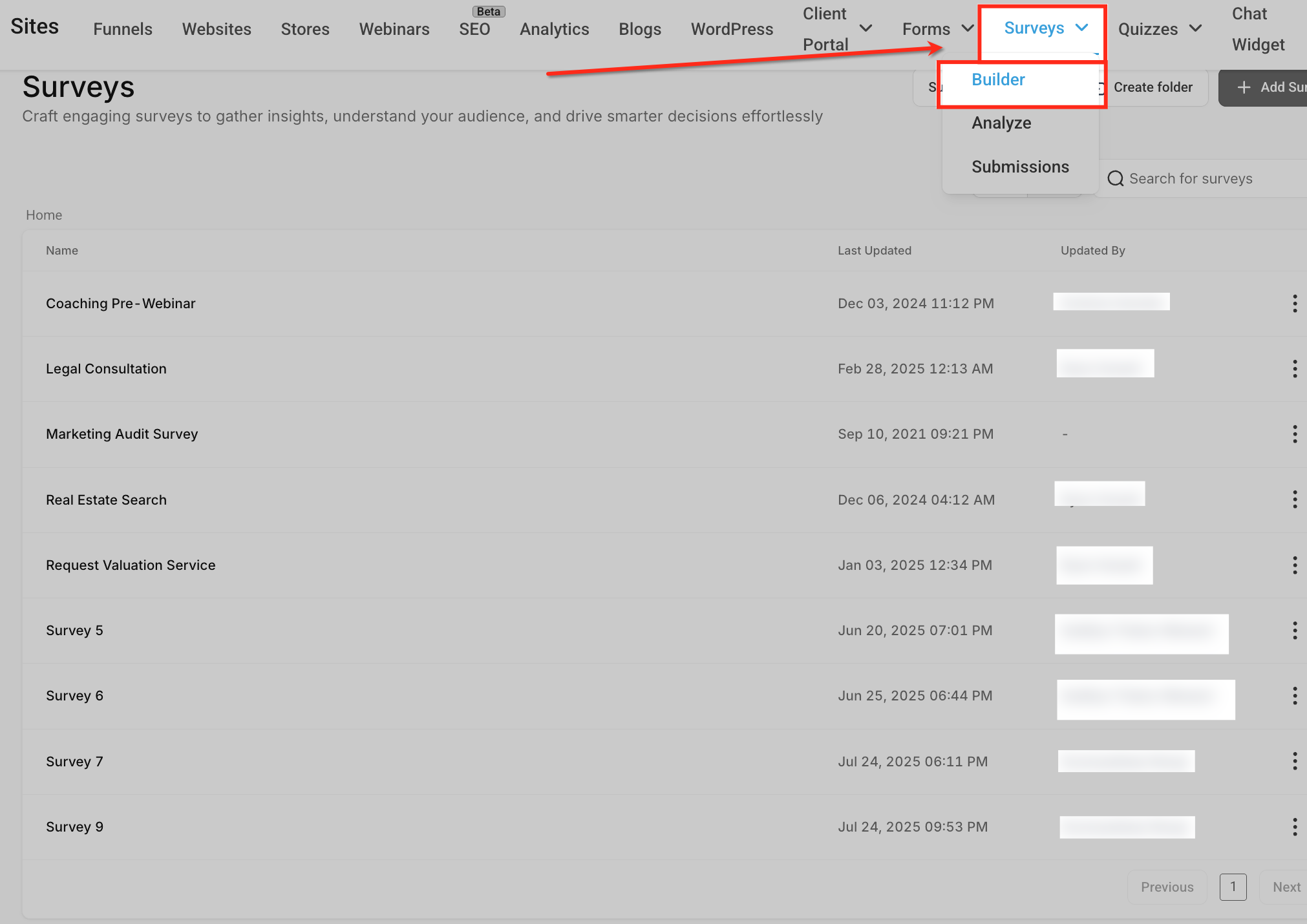
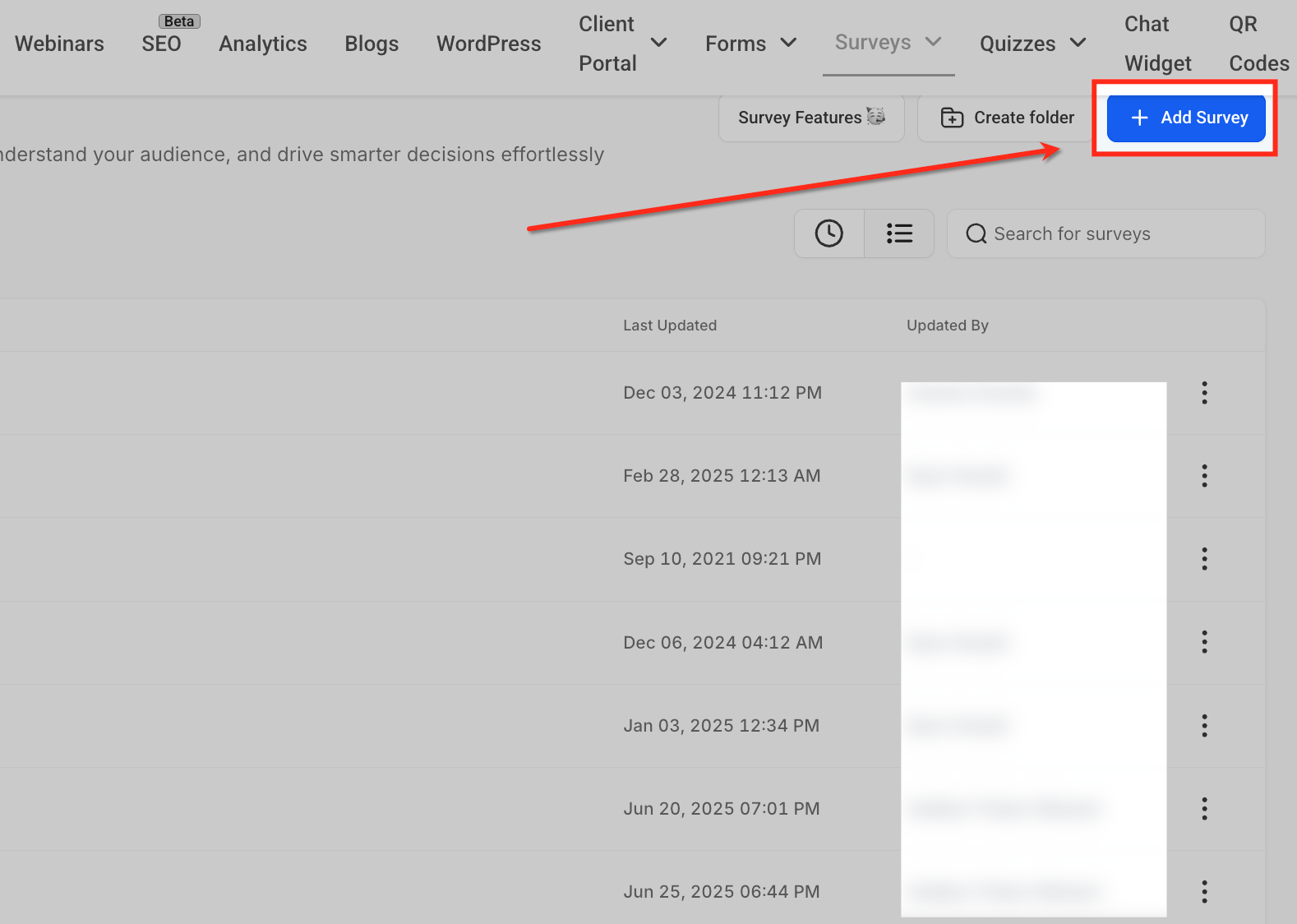
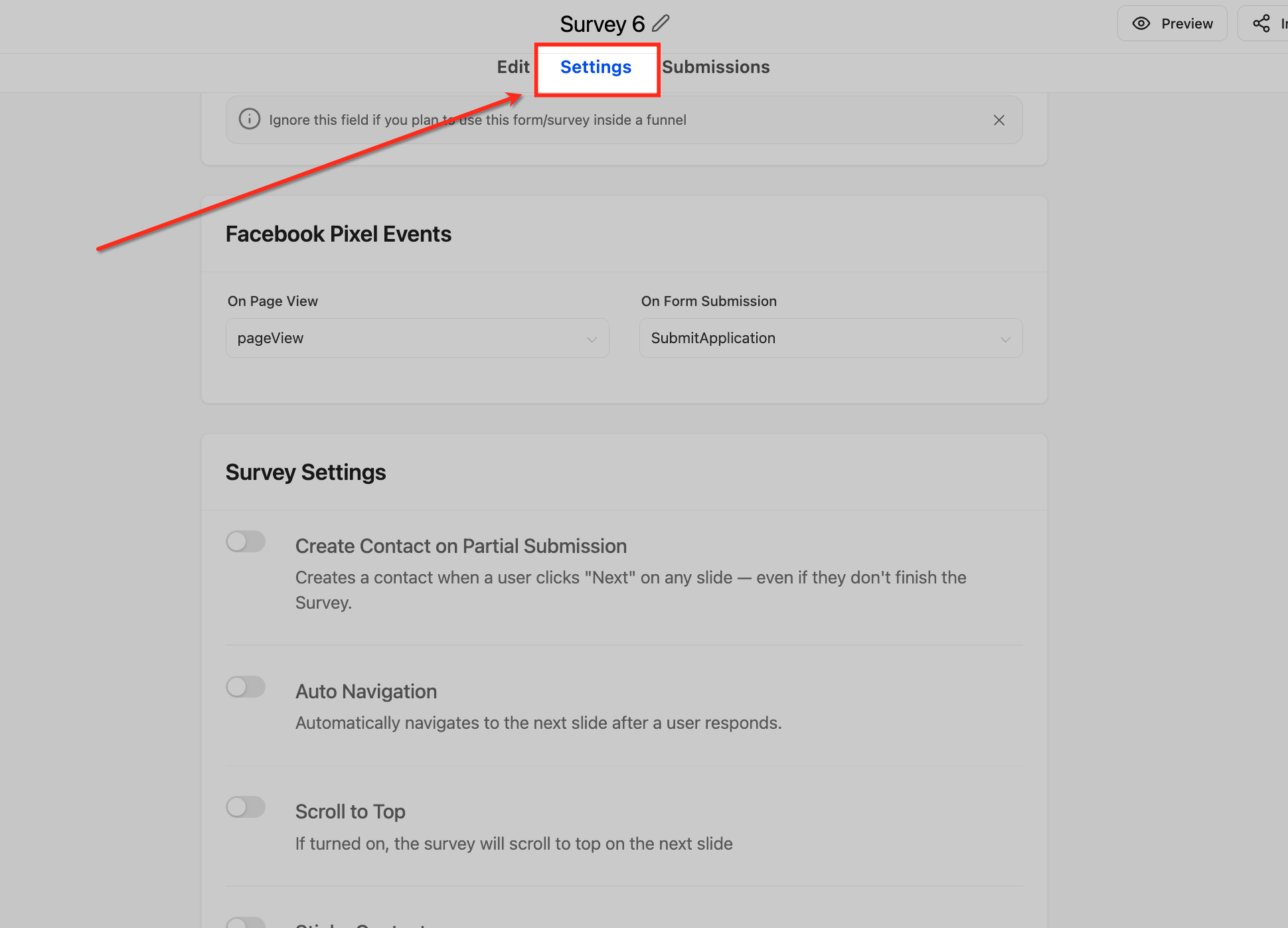
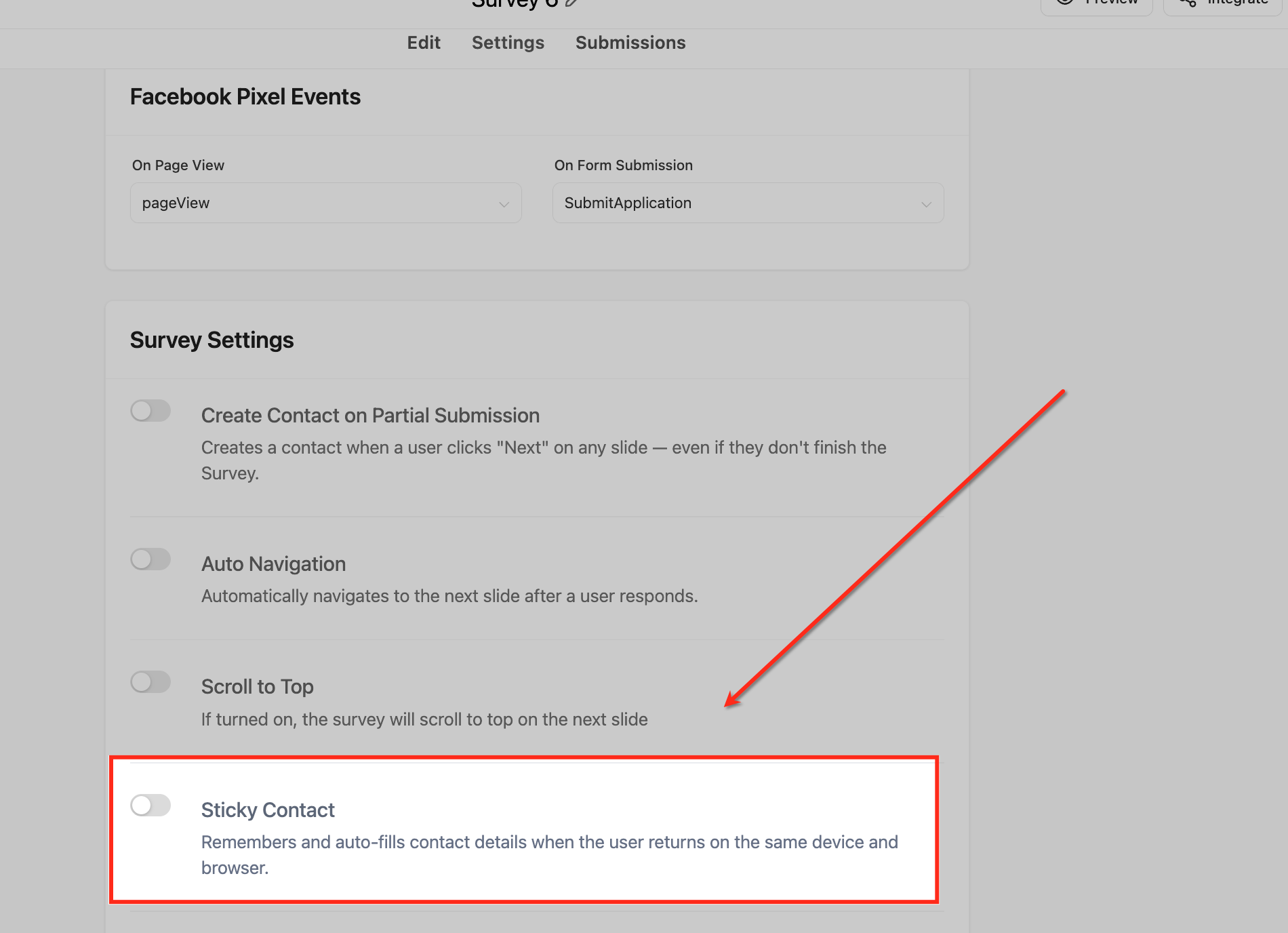
When we set this up for clients, we always test forms after enabling Sticky Contact. Fill out the form once, then clear your browser cache (or use incognito mode) and try again. Then, revisit the form in the original browser to confirm pre-fill functionality.
How Do You Activate Sticky Contact in GoHighLevel Surveys?
Surveys are critical for gathering detailed information and qualifying leads. Sticky Contact ensures that if a lead has already provided basic information in a form, they do not need to repeat it in a follow-up survey. This boosts survey completion rates significantly.
When we set this up for clients, we always design survey sequences with Sticky Contact in mind. For example, a contact enters their name and email on a landing page form. The next step is a qualification survey that auto-fills their contact details, letting them focus only on new questions. This dramatically reduces drop-off.
Start your 30-day GoHighLevel free trial
Everything in this guide is in your free trial. 30 days, no credit card — the platform behind 78+ revenue systems.
Some links are affiliate links — if you sign up we may earn a commission, at no extra cost to you. We only recommend GoHighLevel because we build on it every day.
How Do You Set Up Sticky Contact for GoHighLevel Calendars?
Calendar bookings are a high-value action in any sales funnel. Sticky Contact streamlines the appointment booking process for returning contacts. It ensures their details are pre-filled, making it faster and easier to schedule a call or demo, directly impacting your pipeline velocity.
⚠️ If you are using a Custom Form for your calendar bookings, the Sticky Contact setting will not appear in the calendar settings. Instead, you must enable Sticky Contact directly on the custom form itself under Sites → Forms. The calendar will then honor the Sticky Contact data stored by that linked form.
When we set this up for clients, we always ensure the calendar form fields align with existing CRM data. This means if a contact provides their phone number in an earlier form, it pre-fills in the calendar. This saves time for both the prospect and your sales team.
Revset Labs Best Practices for Sticky Contact
Implementing Sticky Contact correctly goes beyond just toggling a switch. At Revset Labs, we integrate it into a holistic revenue engineering strategy. This ensures maximum efficiency and conversion rates across all your GoHighLevel assets. Consistency and user experience are paramount for pipeline growth.
✅ ### Want this done for you? Revset Labs specializes in building high-performance GoHighLevel systems that generate predictable revenue. We have developed 78+ GHL systems, generating over $9.2M in client pipeline. Let our experts implement and optimize Sticky Contact, along with your entire GHL setup, so you can focus on closing deals. [Contact Revset Labs today for a free consultation!](https://revsetlabs.com/contact)
When we set this up for clients, we always perform a full funnel audit. We map out every touchpoint where a contact might enter data. Then, we ensure Sticky Contact is enabled on every single form, survey, and calendar in that sequence. This creates a truly frictionless journey. We also advise clearly stating your cookie policy to maintain full compliance and build trust.
Troubleshooting Common Issues
Common Mistakes to Avoid
- →Forgetting to enable Sticky Contact on all relevant assets (forms, surveys, calendars) within a funnel.
- →Assuming Sticky Contact automatically works across different subdomains or external websites.
- →Not informing users about cookie usage, leading to potential privacy compliance issues.
- →Using inconsistent field names across different GoHighLevel assets, preventing data pre-fill.
- →Overlooking the specific setting location for Sticky Contact when using custom forms for calendars.
Frequently Asked Questions
Start your 30-day GoHighLevel free trial
Everything in this guide is in your free trial. 30 days, no credit card — the platform behind 78+ revenue systems.
Some links are affiliate links — if you sign up we may earn a commission, at no extra cost to you. We only recommend GoHighLevel because we build on it every day.

Arsalan writes GHL guides from real build experience — 78+ systems, $9.2M in client pipeline. Wharton, CXL & Google certified.
Connect on LinkedIn